Hailuo AI Review: Can This Tool Actually Create Cinematic Videos in Minutes?

You know that feeling when you have a brilliant idea for a video, but the thought of spending hours learning complex editing software makes you want to give up before you even start?
I’ve been there more times than I care to admit.
That’s exactly why I decided to test Hailuo AI myself. Everyone’s talking about how AI video generators are revolutionizing content creation, and Hailuo AI keeps popping up in conversations about speed and quality.
But here’s the thing, I wanted to see if it actually lives up to the hype or if it’s just another overpromised tech tool that disappoints.
So I rolled up my sleeves and spent real time with this platform, testing everything from simple text prompts to complex image to video conversions.
What I found surprised me in some ways and confirmed my suspicions in others.
In this review, I’ll walk you through exactly what Hailuo AI can do, where it shines, where it falls short, and most importantly, whether it’s worth your time and money.
No fluff, no corporate speak. Just honest Hailuo AI review from someone who actually used it.
What Is Hailuo AI, Really?
Let’s start with the basics. Hailuo AI is an artificial intelligence platform built by a company called MiniMax, based in Shanghai, China.
The founders, Yan Junjie, Yang Bin, and Zhou Yucong aren’t newcomers to this space. They all worked with SenseTime, a major AI company, before launching MiniMax.
Here’s what caught my attention during my research, MiniMax raised over $600 million in funding to develop this tool. That’s serious money, and it shows they’re committed to building something substantial.
They launched Hailuo AI to the public in 2024, and it quickly gained traction because of one standout feature, it’s fast. Really fast.
The platform claims it can generate a 6-second video clip in just 30 seconds of processing time. Compare that to other AI video generators that can take several minutes or even longer, and you start to understand why people are paying attention.
But speed alone doesn’t make a great tool. What really matters is the quality of what it produces and how easy it is to use. That’s what I wanted to find out.
The platform is designed for anyone who needs to create video content quickly, marketers, social media managers, content creators, small business owners, even students working on projects.
You don’t need video editing experience, expensive software, or even design skills. Just an idea and a few minutes.
How to Get Started with Hailuo AI
One of the first things that impressed me about Hailuo AI is how low the barrier to entry is. You don’t actually need to create an account to start experimenting with the basic features.
That’s refreshing in a world where every app wants your email address before you can even see what it does.
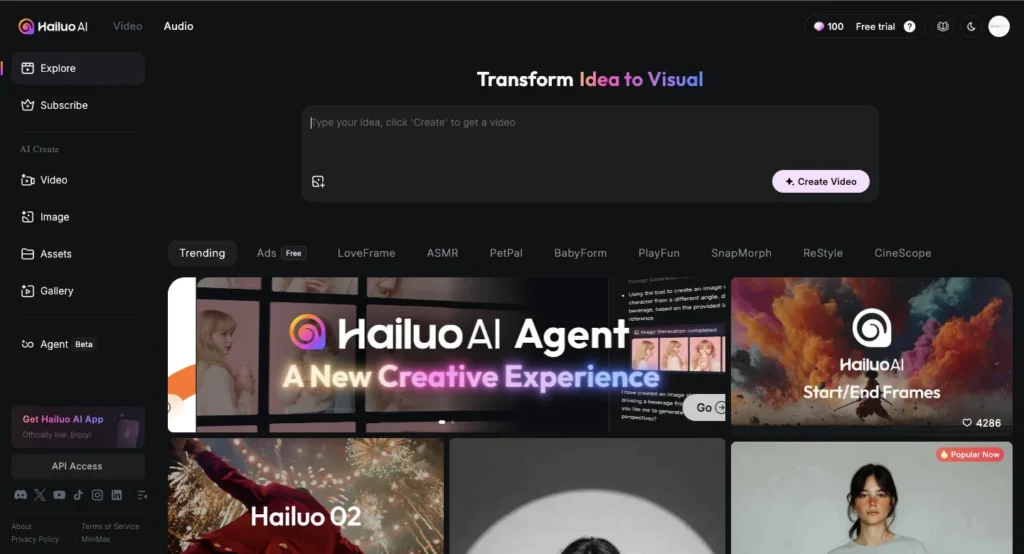
When you land on the Hailuo AI homepage, you’ll see a clean interface with clear options for video generation, image creation, and text processing.
Everything is laid out logically, so you won’t spend your first 20 minutes trying to figure out where things are.
That said, if you do decide to sign up (which I recommend if you want to use it seriously), the process takes about 30 seconds. You can log in with your Google account, and boom, you’re in.
No email confirmation, no verification codes, no password creation headaches.
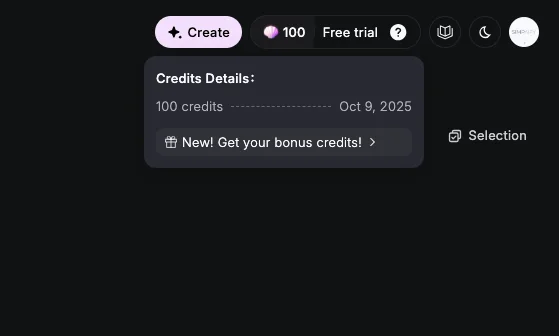
Once you sign up, you get 100 free credits to start with. How much is that worth?
Well, generating a single video typically costs between 50-100 credits depending on the complexity, so you can create roughly 1-2 videos before you need to decide whether to pay for more.
The platform works smoothly on both desktop and mobile devices, which I found incredibly convenient. I could start a project on my laptop during work hours and then check the results or make tweaks from my phone later.
The experience stays consistent across devices, which isn’t always the case with web-based tools.
Core Features: What Can Hailuo AI Actually Do?
Text-to-Video Generation: Your Words Come to Life
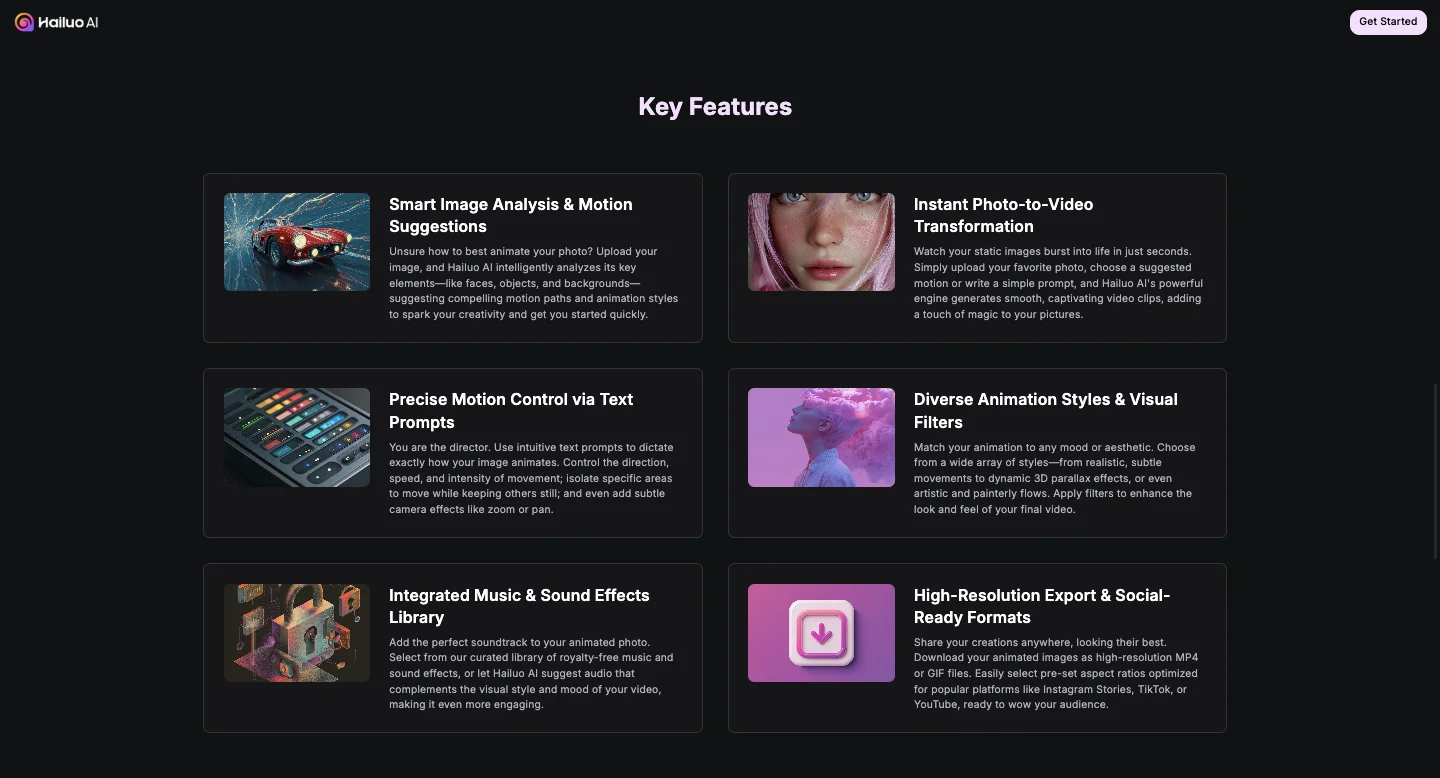
This is the feature that most people come for, and honestly, it’s impressive. The concept is simple: you type a description of what you want to see, and the AI generates a video clip based on your words.
I tested this extensively with different types of prompts. My first test was straightforward: “A woman stands with an umbrella in a rain-blurred world. Film-noir atmosphere.”
What I got back was genuinely cinematic. The AI captured the moody, atmospheric quality I was going for. The woman, the umbrella, the rain-slicked streets, the noir lighting, it all came together in a way that exceeded my expectations for an automated tool.
The videos are typically 5-6 seconds long, which is perfect for social media snippets, B-roll footage, or quick visual breaks in longer content. The limitation here is obvious you can’t create longer narratives or complex stories.
But for what it does, it does it well. With Paid plan you can generate up to 10 second videos.
What really makes this feature shine is the ability to add reference images to guide the style. Instead of hoping the AI interprets your vision correctly, you can show it examples of the aesthetic you’re after. This dramatically improves the output quality and consistency.
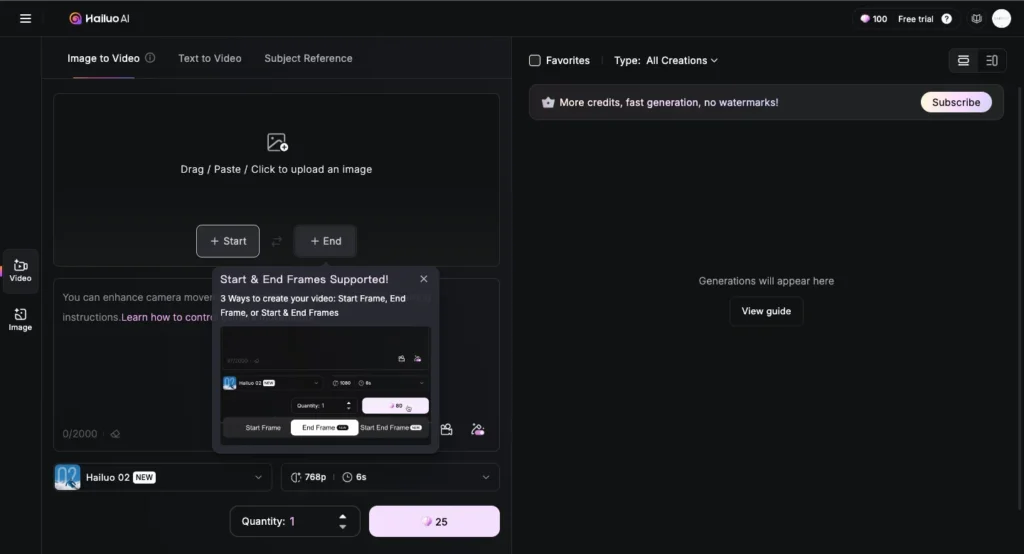
Image-to-Video: Bringing Still Photos to Life
This feature surprised me more than any other. You upload a static image, write a prompt describing how you want it to move, and the AI animates it with cinematic effects.
I tested this with a photo of a cloudy sky. My prompt was simple: “Clouds drift slowly across the sky as the camera pans gently to reveal a distant mountain range.”
The result? The clouds actually moved naturally, the camera motion was smooth, and the whole thing felt professionally done. It’s not perfect sometimes the AI struggles with complex movements or intricate details but for creating dynamic content from static images, it’s remarkably effective.
One important lesson I learned: the quality of your input image matters significantly. High-resolution images with clear subjects and good composition produce much better results than grainy or cluttered photos. The AI needs something clear to work with.
Where this feature struggles is with complex character movements. When I tried to animate a photo of a person running, the results were less convincing. The movements looked somewhat unnatural, and the AI didn’t always follow the prompt accurately. For example, I asked for a cat to run left, and it initially did, but then inexplicably turned around and ran right.
This inconsistency is frustrating but manageable if you’re willing to regenerate videos a few times until you get something usable.
Prompt Writing: The Secret to Better Results
After dozens of tests, I learned that how you write your prompts makes a massive difference in output quality. Vague prompts produce vague results. Detailed, specific prompts produce much better videos.
Bad prompt: “A person walking” Good prompt: “A young woman in a red coat walks slowly from left to right through a foggy park, leaves crunching under her feet, while the camera follows in a smooth tracking shot from behind”
See the difference? The second prompt gives the AI concrete details about the subject, the action, the environment, and the camera movement. This specificity helps the AI understand exactly what you’re envisioning.
Here are the prompt-writing principles that worked best for me…
Be specific about movement: Don’t just say “the subject moves.” Describe how they move, at what speed, in which direction, with what kind of motion.
Include camera directions: Mention pans, zooms, tracking shots, or static frames. The AI understands cinematic language surprisingly well.
Describe the atmosphere: Include details about lighting, weather, mood, and style. Words like “cinematic,” “film-noir,” “golden hour,” or “dramatic lighting” actually influence the output.
Match your prompt to your image: If you’re using image-to-video, make sure your written prompt aligns with what’s actually in the photo. Asking for a bird’s-eye view when your image is at ground level will confuse the AI.
Iterate and refine: Don’t expect perfection on the first try. If the result isn’t what you wanted, tweak your prompt and try again. You’ll quickly learn what language works best.
Music Generation: A Nice Bonus Feature
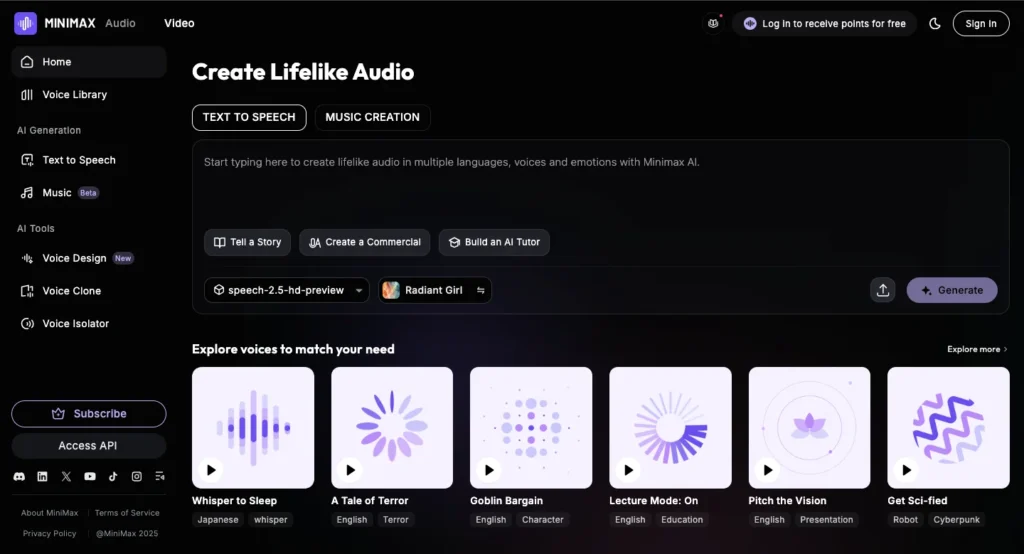
Hailuo AI also includes a music composition tool that generates original tracks and even lyrics based on mood or style selections.
I’ll be honest, this isn’t going to replace a professional composer, and the tracks tend to be fairly simple and repetitive.
But for quick background music for social media videos or casual projects, it’s surprisingly useful.
I generated several tracks for testing, and while they weren’t Grammy-worthy, they were perfectly serviceable for what I needed.
The interface is straightforward: select a mood (upbeat, melancholic, energetic, calm), choose a style (pop, electronic, ambient, etc.), and let the AI compose.
Within seconds, you have a downloadable track.
The biggest limitation is variety. After generating several tracks, I noticed they started sounding similar. The AI clearly has a limited palette of musical ideas, which makes sense given this isn’t the platform’s primary focus.
Additional Features Worth Mentioning
Camera Controls: In certain models (specifically the I2V&T2V-01-Director Model), you get more granular control over camera movements. This is genuinely useful for creators who want specific cinematography styles.
Cinematic Enhancements: The AI automatically applies film-grade effects, transitions, and color grading. You don’t have to manually tweak these elements, which saves considerable time.
Voice Interaction: You can speak your prompts instead of typing them. This hands-free approach is convenient when you’re brainstorming quickly or want to multitask.
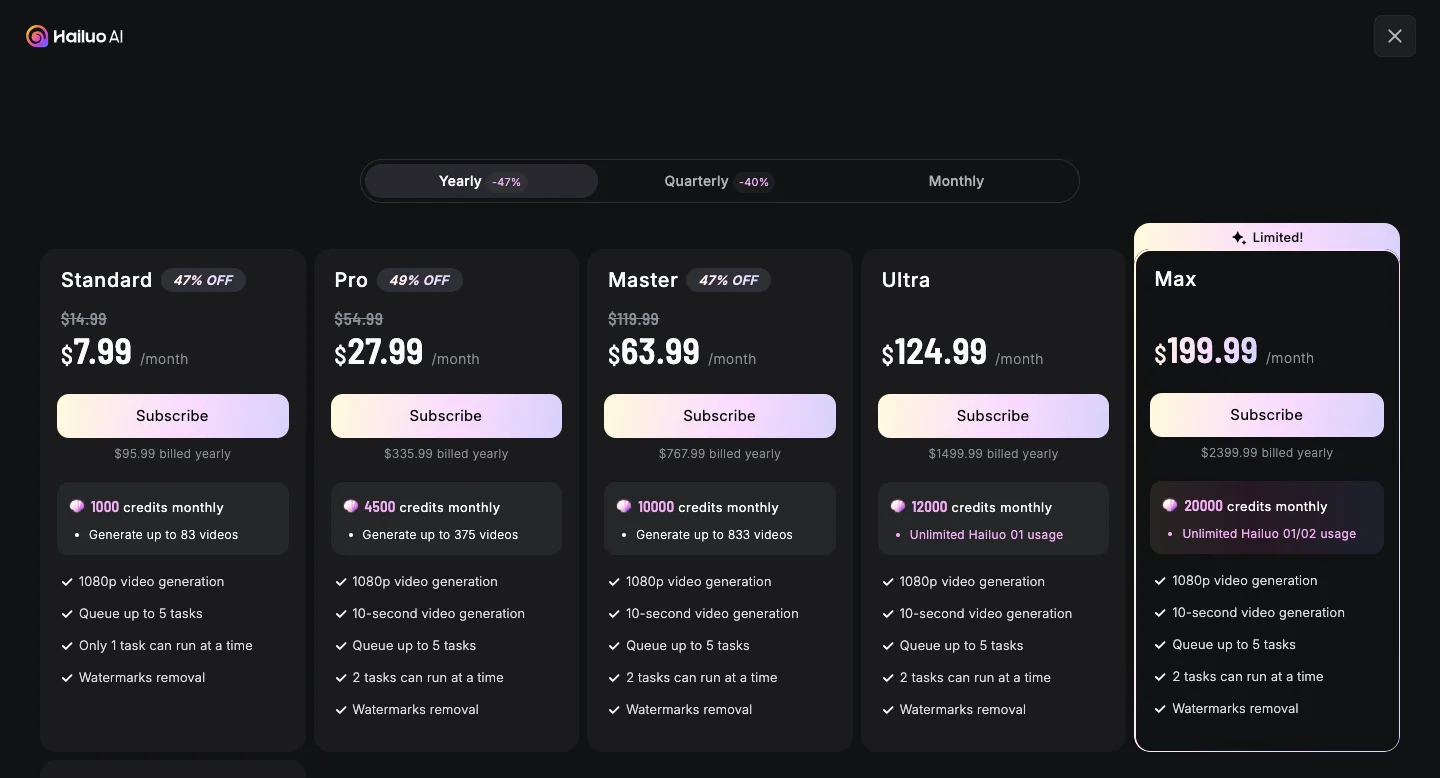
Pricing: What Does Hailuo AI Cost?
Let’s talk money, because this obviously matters when deciding whether to use any tool.
Free Tier ($0/month)
- 768p, 6-second video generation
- Up to 3 tasks in queue
- Basic features only
- Slower generation after initial credits
- Includes watermarks
The free tier is genuinely usable, which I appreciate. You can create real content and decide whether the platform works for you before spending money. The daily credits mean you can keep using it indefinitely if you’re patient and don’t need high volume.
Standard Plan ($95.99/year)
- 1,000 credits per month (83 Videos/Month)
- Fast-track generation
- Up to 5 tasks in queue
- Process 1 tasks simultaneously
- Remove watermarks
This plan offers solid value for regular users. At roughly $7.99/month when paid annually, it’s affordable for individuals and small businesses. The ability to remove watermarks alone justifies the cost if you’re creating client work or public-facing content.
Pro Plan ($335.99/year)
- 4,500 credits per month (375 Videos/Month)
- All Standard features
- Higher generation capacity
The Pro plan is for power users who need significant volume. At 4.5 times the credits of the Standard plan, it’s designed for agencies, marketing teams, or creators producing daily content.
Max Plan ($2399.99/year)
- 20,000 credits + Unlimited Hailuo 01/02 usage
- 2 tasks can run at a time
- All Pro features
- No generation restrictions
The Unlimited plan is expensive but makes sense for businesses requiring high-volume video production. If you’re creating dozens of videos daily, the cost per video becomes quite reasonable.
My take is start with the free tier to test whether Hailuo AI fits your workflow.
If you like it, the Standard plan offers excellent value for most users. Only upgrade to Pro or Unlimited if you have clear business needs that justify the cost.
How Does Hailuo AI Compare to Competitors?
The AI video generation space is crowded in 2025, so understanding where Hailuo AI fits matters.
Versus Kling AI: Kling produces slightly longer videos with superior motion realism and prompt accuracy. However, it’s more expensive and has a steeper learning curve. Choose Kling if you need longer clips and don’t mind complexity. Choose Hailuo if you prioritize speed and simplicity.
Versus Runway ML: Runway offers advanced VFX capabilities and extensive editing controls that appeal to professional filmmakers. It’s more powerful but significantly more complex. Hailuo is better for quick content creation; Runway is better for artistic projects requiring precision.
Versus Synthesia: Synthesia excels at avatar-driven videos for corporate training and multilingual presentations. It’s a completely different use case. Choose Synthesia for talking-head videos; choose Hailuo for cinematic B-roll and visual content.
Versus Pictory AI: Pictory specializes in converting long-form content (blogs, articles) into short videos for social media. Hailuo focuses on original creative generation. Both have value depending on your workflow.
Eventually, Hailuo AI offers the best balance of speed, ease of use, and visual quality for short-form cinematic content. It’s not the most powerful tool available, but it’s one of the most practical for everyday creators.
Tips for Getting the Best Results from Hailuo AI
After extensive testing, here are my top recommendations:
Master the art of detailed prompts: Spend time crafting specific, descriptive prompts that include subject details, action descriptions, environmental context, and camera directions.
Use high-quality input images: When doing image-to-video conversions, start with sharp, well-composed, high-resolution photos. The AI works much better with clear source material.
Experiment with reference images: Don’t just rely on text prompts. Upload reference images to guide the aesthetic and style more precisely.
Generate multiple versions: Don’t settle for the first result. Create 2-3 versions of each video to see which interpretation works best.
Understand the limitations: Work within the platform’s strengths rather than fighting its weaknesses. Embrace the short format and design your content accordingly.
Combine outputs creatively: Use Hailuo AI to generate individual clips, then assemble them in traditional editing software for longer projects.
Final Verdict: Should You Use Hailuo AI?
After weeks of testing, here’s my honest assessment.
Hailuo AI is an excellent tool for a specific use case, creating short, visually impressive video clips quickly and affordably. If that matches your needs, you’ll probably love it.
You should definitely try Hailuo AI if:
- You create social media content regularly
- You need B-roll footage for projects
- You want to visualize ideas quickly without editing skills
- You’re budget-conscious but still want professional-looking results
- You value speed and simplicity over granular control
You should probably look elsewhere if:
- You require extensive customization and editing capabilities
- You’re creating high-end professional work requiring 4K resolution
- You need complex character animations or intricate movements
- You want a complete video production suite
The platform isn’t perfect. The short video length is genuinely limiting, the prompt adherence can be frustrating, and the lack of advanced editing features will disappoint power users.
But for quick creative projects, social media content, marketing materials, or just experimenting with AI-generated video, Hailuo AI delivers impressive results with minimal effort.
My recommendation? Start with the free tier. Test it with your actual use cases. If it solves your problems and fits your workflow, upgrade to the Standard plan. The $7.99/month investment is modest compared to the time and frustration it saves.
Will Hailuo AI replace professional video editors? No. But it will empower more people to create visual content than ever before. And that’s genuinely valuable.
You May Also Read: