
Running a small business means you wear every hat because of limited human resource. Sometimes, you handle emails, write blog posts, manage social media, chase leads, answer calls, and review contracts, all before lunch.
And hiring humans costs thousands monthly. Whereas generic AI tools force you to build complex workflows just to get basic things done.
Marblism AI takes a completely different approach. Instead of giving you another chatbot to prompt endlessly, it gives you six specialized AI employees, each trained for a specific business function. They work 24/7, learn your style over time, and require zero technical knowledge to set up.
This is an honest review after extended real-world testing. You will get the full picture, including what works, what needs improvement, and the truth about the discount claims floating around online.
What Is Marblism AI and How Does It Work?
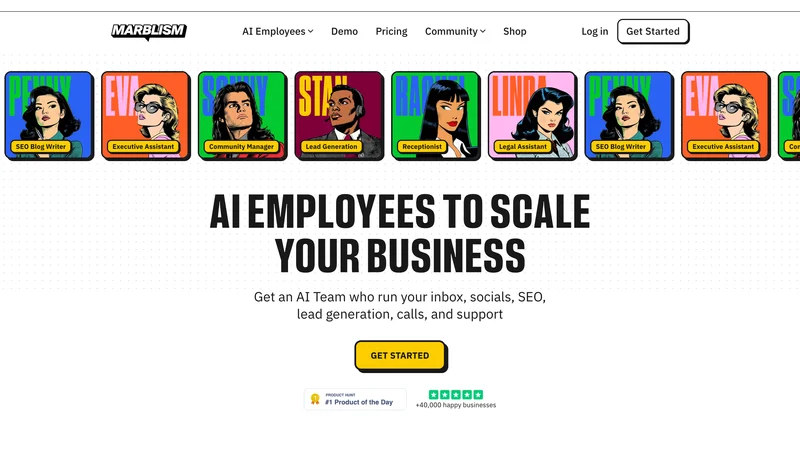
Marblism is an AI business automation platform built around the concept of role-specific virtual employees. Each employee handles one area of your business end to end. You do not prompt them manually for every task. You set them up once, give them guidelines, and they operate independently.
The platform connects to the tools you already use. Gmail, Outlook, Google Calendar, WordPress, LinkedIn, Instagram, Facebook, X, Google Drive, OneDrive, and Zendesk are all supported. New integrations roll out monthly.
What separates Marblism from tools like Zapier or Jasper is that these agents learn your brand voice through feedback. They are not static. Every time you approve or reject an output and explain why, the AI adapts. After one to two weeks of active use, most outputs require little to no editing.
The Six AI Employees: What Each One Actually Does
Eva: Executive Assistant

Eva manages your inbox and calendar. Every morning she labels incoming emails so you can immediately see what needs attention. More importantly, she drafts replies for you based on your communication style, which she learns by reading your email history.
She also summarizes your daily inbox, sends follow-up reminders, creates calendar invites, and joins meetings to take notes. If your biggest daily time drain is email, Eva provides immediate relief from day one.
Setup takes minutes. Connect your inbox and calendar, give her a few instructions, and she starts working.
Penny: SEO Blog Writer
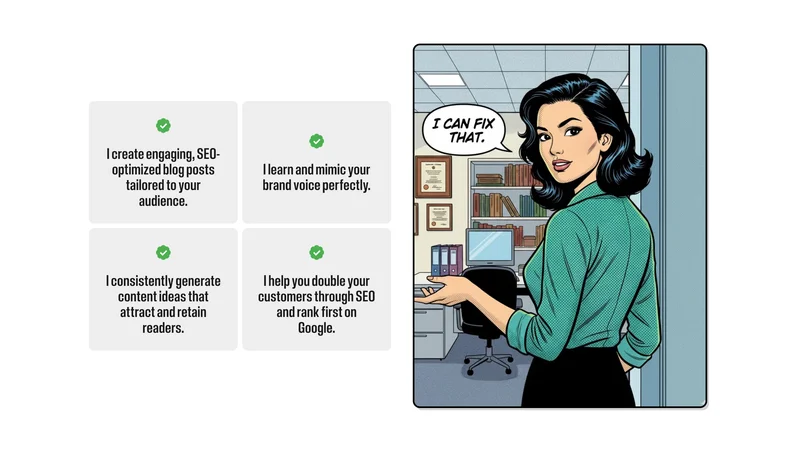
Penny researches keywords, writes long-form blog posts with images, and publishes directly to WordPress or Webflow. She suggests topics, asks clarifying questions to make content more specific to your business, and interlinks your existing posts automatically.
That last point matters for SEO. Internal linking is one of the factors Google rewards consistently, and most solo business owners simply do not have time to do it manually. Penny handles it every time she publishes.
You can target specific keywords by entering them in her settings, or just tell her in plain language what you want to rank for.
Sonny: Social Media Manager
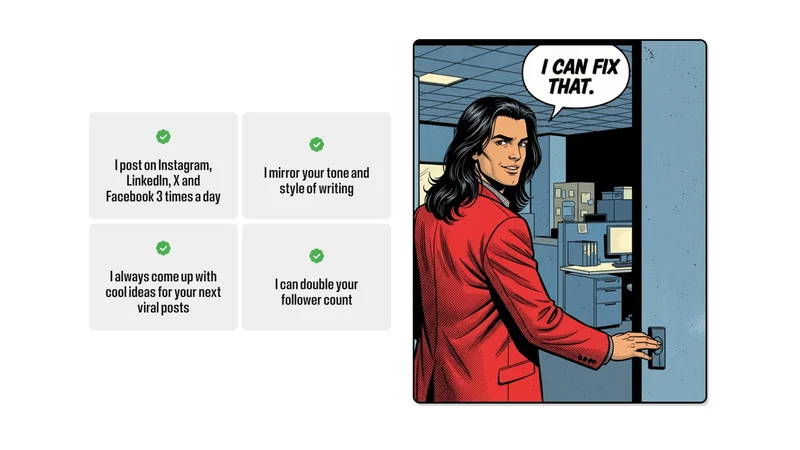
Sonny creates text and image posts for LinkedIn, X, Instagram, and Facebook, then schedules and publishes them automatically. He maintains a consistent posting schedule across social media platforms that most solo creators would never keep up with on their own.
He also asks proactive questions like what you found interesting this week or what is top of mind in your niche. This keeps your content personal rather than purely AI-generated in tone. You can approve posts individually or let him run fully automatically once you trust his output quality.
Stan: Sales and Lead Generation
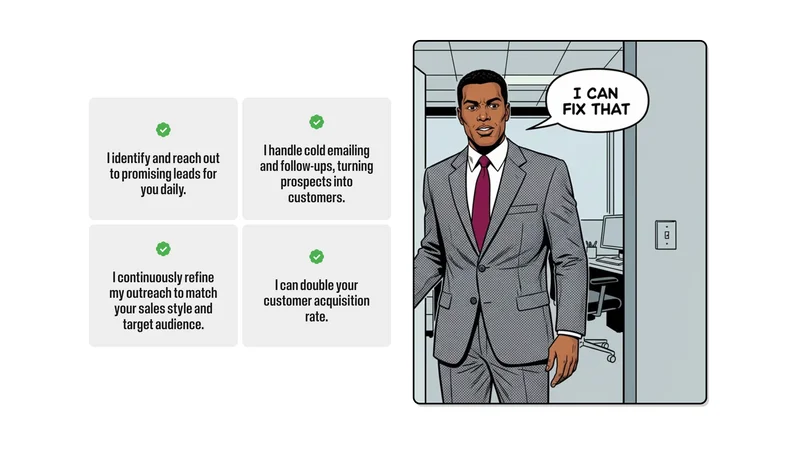
Stan accesses a database of over 700 million contacts, finds leads that match your target customer profile, writes personalized cold outreach emails, and sends automated follow-ups based on how recipients respond.
When a lead responds positively, Stan books a call on your calendar and notifies you immediately. You can customize his email templates, tighten his lead filters, and decide whether you want to approve each lead or let him work independently.
For B2B businesses where a single client is worth thousands, even a small number of booked calls per month delivers strong return on investment.
Rachel: AI Receptionist
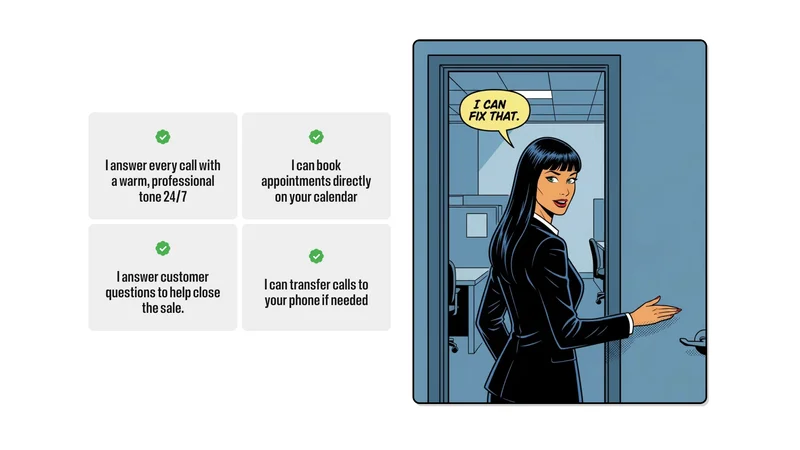
Rachel answers phone calls around the clock, books appointments based on your calendar availability, qualifies leads, and routes urgent matters to you. She is trained on your website content from the moment you connect it, so she already knows your services, pricing policy, and business details before her first call.
After each call, she sends you a summary of what was discussed and any actions taken. She is most valuable for service businesses, contractors, clinics, and local businesses where phone inquiries drive revenue.
Linda: Legal Assistant
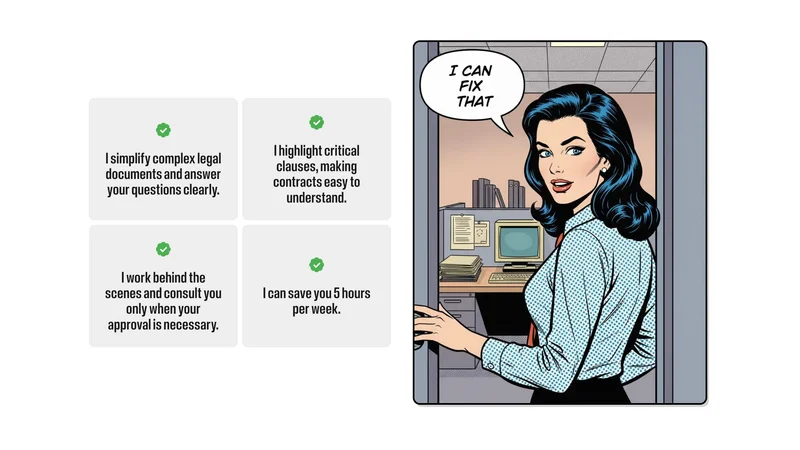
Linda reviews contracts, flags risky clauses, drafts new agreement language, and summarizes legal documents in plain language. She is not a replacement for a lawyer on complex matters, but she functions as an excellent first-pass gut check that saves you from paying attorney fees for straightforward contract questions.
You can feed her past agreements, NDAs, and partnership contracts to make her responses more specific to your industry and business model.
Step-by-Step Setup Guide
Step 1: Create your account Go to the Marblism website and click Get Started. Use your primary business email to ensure all integrations connect properly. Verify your email and choose a pricing plan.
Step 2: Complete the business description The onboarding questionnaire is the most important step most users rush through. Spend at least 15 minutes here. Describe your target audience, brand voice, communication style, topics you cover, and topics you avoid. All six employees train on this information simultaneously.
Step 3: Connect your tools one at a time Start with one or two integrations rather than connecting everything at once. Link Gmail or Outlook first and test for two days. Add social accounts next. This approach isolates any issues and makes troubleshooting straightforward.
Step 4: Set approval requirements Begin with manual review for all employees. This is not optional if you want good results. The first week of approvals and rejections is your training investment. When you reject an output, always explain why rather than just clicking thumbs down. Specific feedback accelerates learning significantly.
Step 5: Shift to automation gradually After one week of consistent quality, switch lower-stakes tasks to auto-approve. Social media posts and blog suggestions are good candidates to automate first. Keep email replies and legal documents on manual review longer because errors there carry higher consequences.
Marblism AI Pricing: What You Actually Pay

Marblism has three billing plans, and there is no free tier. Every plan gives you access to all six AI employees with the same core features. The only difference is how you choose to pay.
The Yearly Plan at $24 per month is the most affordable option and the one worth considering if you plan to use the platform long term. Additional team seats cost $14 per month each.
The Quarterly Plan at $33 per month sits in the middle. It gives you flexibility to commit for three months at a time without a full year upfront. Additional seats are $19 per month each.
The Monthly Plan at $44 per month gives you full flexibility to cancel anytime without any billing commitment beyond the current month. Additional seats cost $29 per month each.
Every plan includes unlimited tasks, unlimited chat, access to all six AI employees, 100+ language support, 24/7 customer support, and a cancel-anytime policy with no lock-in contracts. All plans also come with a 7-day money-back guarantee, so you can test the platform with zero financial risk.
If you are serious about using Marblism for your business, the yearly plan at $24 per month is the clear choice. Compared to the monthly rate of $44, you save $240 over twelve months simply by committing annually. That is not a promotional discount. That is just how their billing tiers work.
Get 10% Discount on your first subscription – Click Here
The Truth About the “98% Discount” Claims
Here is something worth addressing directly. Some reviews and promoter content online advertise discounts of 80 to 98 percent on Marblism. These claims are misleading at best.
The actual maximum legitimate discount available on Marblism is around 10 percent, typically through annual billing or verified promotional codes. No credible discount of 98 percent exists on any plan.
If you encounter a link promising a massive percentage off, understand that it is likely an affiliate marketing angle designed to create urgency rather than reflect actual savings. The real value of Marblism is not in the discount. It is in the time it saves. At $24 per month for unlimited tasks across six specialized employees, the platform is already priced significantly below the cost of a single hour with a freelancer.
Pros and Cons
What works well:
- All six business functions covered in one platform at one price
- No technical knowledge or prompting skills required
- Continuous learning through feedback improves output quality over time
- Available 24/7 with no overtime, sick days, or management overhead
- Costs less than one virtual assistant working five hours per month
- Integrates with the tools most small businesses already use
- Founder-led customer support that responds quickly
What needs improvement:
- One to two week training period before outputs reach acceptable quality
- No API access limits advanced technical customization
- Phone reception quality varies depending on accent and call complexity
- Not suitable for enterprise compliance requirements
- Complex legal matters still require a qualified attorney
- Initial outputs in niche industries may need more editing
Who Should Use Marblism AI
Solo business owners and solopreneurs who handle multiple functions alone and want to reclaim time without hiring staff.
Content creators who produce video or podcast content and need someone to handle the text and social side of their brand consistently.
Freelance marketers and consultants who want to maintain a professional presence across email, content, and social without adding headcount.
Service businesses including contractors, coaches, real estate agents, and clinics where phone inquiries, appointment booking, and lead follow-up drive revenue.
Anyone reviewing contracts regularly who wants a first-pass legal check without paying attorney rates for routine documents.
If you get fewer than ten emails daily, create content only occasionally, and already have staff handling your social media, Marblism may be more than you need.
How Marblism Compares to the Alternatives
Zapier starts at $19.99 per month but requires you to build automation step by step using triggers and conditions. It is powerful for connecting apps but does not learn your voice and cannot handle open-ended tasks like writing or answering calls.
Jasper AI focuses purely on content writing at $59 per month. It writes well but handles only one of the six functions Marblism covers.
Reply.io handles sales outreach starting at $500 per month, which is strong if sales automation is your only need but expensive compared to Stan doing the same job as part of the $24 Marblism plan.
For small businesses that need coverage across multiple functions simultaneously, Marblism delivers the broadest value at the lowest price point.
Common Setup Mistakes to Avoid
Rushing the business description during onboarding produces vague, generic outputs for weeks. Invest the time upfront.
Enabling auto-approve immediately for all employees removes the feedback loop that trains the AI. Start manual, switch gradually.
Connecting all integrations simultaneously makes it hard to identify which connection caused a problem. Add one at a time.
Expecting perfect outputs from day one sets you up for frustration. Plan for one to two weeks of active involvement before reducing your oversight.
Conclusion
Marblism AI delivers genuine value for small business owners who need coverage across email, content, social media, sales, phone reception, and legal without the overhead of hiring staff or managing multiple separate tools.
The platform is not instant perfection. The first two weeks require attention and feedback to get outputs aligned with your standards. After that investment, most users report saving ten to fifteen hours weekly across the six functions.
At $24 per month on the yearly plan, the cost-to-value ratio is genuinely hard to argue with. Start with one employee where you feel the biggest gap, get comfortable with the platform, then expand from there. All six AI employees are included in every plan, so there is no financial reason to hold back once you understand how each one works.
The 7-day money-back guarantee means you can test it with zero risk. If it does not save you meaningful time within one week, request a refund. That is a low-stakes way to find out whether it fits your business before making any longer commitment.
Get 10% Discount on your first subscription – Click Here
Also Read:
- 10 Best AI-Powered Email Management Tools for SMBs (2026)
- 10 Best Free AI Tools for Small Business Social Media Management in 2026
- How to Use Google Omni for AI Video Generation
- Google Mixboard: 15 Ways AI Generates Visual Concepts Fast
- Pomelli by Google: 3 Steps to On-Brand Marketing Content
- What is NotebookLM? Complete Guide to Google’s Best AI Tool
- Google Opal Review: Is This AI No-Code App Builder Actually Worth Your Time?