
Google just dropped Gemini Omni at their I/O developer conference, and it’s creating quite a buzz. But here’s what you actually need to know, is this the video AI tool you’ve been waiting for, or is it just another overhyped release?
I’m going to walk you through everything about Google Omni, what it actually does, how to use it, where it shines, and where it disappoints.
What is Google Omni and Why Should You Care?
Three years ago, Google launched Gemini with an ambitious goal to build a single AI model that could understand and create content in any format, text, images, audio, and video.
Not just process them separately, but actually reason across all of them together. Google Omni is the next step in that vision.
According to Google CEO Sundar Pichai, Omni can “create anything from any input.”
That’s a bold claim, and we’re going to test whether it holds up in real-world use.
Here’s what makes Omni different from previous tools:
Instead of just stitching inputs together (like most video generators), Omni reasons across multiple formats simultaneously. Give it text, images, audio, and video, and it understands how they all relate to produce consistent output.
The result? Videos that supposedly understand physics, culture, history, and science. That’s the promise, anyway.
But…
Google already had Veo, a dedicated video model that turns text and images into videos.
But Nicole Brichtova, Google DeepMind’s director of product management, is clear that Omni isn’t just a Veo update. It’s “the next step towards combining the intelligence of Gemini with the rendering capabilities of our media models.”
What this really means that Omni brings reasoning intelligence to video creation.
How Omni Actually Works
Let me break down what’s happening under the hood without getting too technical.
Multimodal AI Explained:
Most AI models specialize in one thing. GPT-4 is great with text. DALL-E handles images. Traditional video generators just animate pixels. Omni is trained on text, code, audio, images, and video simultaneously, giving it a deeper understanding of how the world works.
When you give Omni a prompt like “Prompt: claymation explainer of protein folding, everything is made out of clay, no hands, stop motion, accurate.” it doesn’t just make a random animation. It understands:
- What claymation looks like visually
- How protein folding actually works scientifically
- How to explain complex topics clearly
- What voice-over narration should say
Here’s the actual output from that example:
That’s reasoning across multiple domains happening in real-time.
From Veo to Omni: What Changed?
Veo 3.1 was Google’s previous video generation model. It worked well for basic video generation but required very precise instructions and couldn’t edit existing videos effectively.
Now it’s:
- Understanding context without over-explanation
- Editing videos with simple text commands (like Nano Banana but for video)
- Applying real-world knowledge to improve output
- Maintaining consistency across multiple edits
- Combining different input types seamlessly
Think of Veo as a talented animator following strict instructions. Think of Omni as an intelligent creative partner that understands what you’re trying to accomplish.
Omni Flash: What’s Available For You Right Now
The first model in the Omni family is Gemini Omni Flash, and this is what’s available for you right now.
Key Specifications:
- Video Length: 10 seconds maximum currently
- Where Available: Gemini app, YouTube Shorts, and Google Flow (AI creative studio)
- Cost: Approximately 30 credits per generation in Flow
- Speed: Significantly faster than competitors
- Target Audience: Consumers and everyday creators
Why only 10 seconds?
According to Brichtova, it’s not a technical limitation. Google made this choice to get the tool into more hands quickly and because they anticipate most users won’t need longer videos initially. Longer durations are coming in future updates.
Who is This For?
Google is clearly pitching Omni Flash as a consumer tool, not a professional filmmaker’s dream. The examples they gave during the announcement were all personal use cases:
- Making a video of yourself winning an award
- Creating footage of yourself going to the moon
- Removing a passerby from vacation footage
- Making personalized memes
As research engineer Gabe Barth-Maron put it simply: “They’re like personalized memes.”
What You Can Actually Do With Google Omni
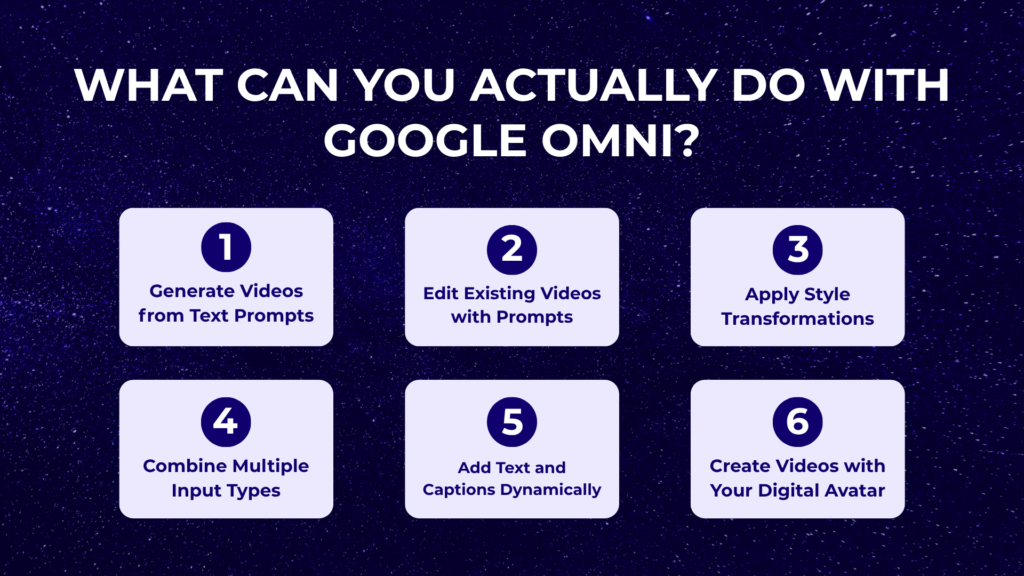
Here’s what Omni enables you to do right now:
1. Generate Videos from Text Prompts
Give Omni a text description, and it creates a video that understands physics and context. The claim is that it has improved understanding of physical forces like gravity, kinetic energy, and fluid dynamics.
Example Prompt: “Create a video of a dog playing with another dog”
Omni generates a 10-second clip with natural movements and realistic interactions between the two dogs. The physics of how they move, jump, and play together actually looks believable.
2. Edit Existing Videos with Natural Language
This is where Omni becomes genuinely interesting. Upload a video and edit it by just describing what you want changed.
Real Test Case: I uploaded a video of a man playing football trying to score a goal (originally generated with Seedance 2). The problem was there was no goalkeeper and no other players on the field.
My prompt: “Add a goalkeeper in this video and also add some other players on the field.”
What happened? Google blocked it with a policy violation error. More on that problem later.
Successful Edit Example: After generating a video of two dogs playing, I asked Omni to “change one of the dogs into a cat.”
Result: The model successfully swapped the dog for a cat. Sometimes the cat perfectly mirrored the movement of the original dog. Other times, the movement didn’t quite match. But overall, it worked pretty well.
3. Apply Style Transformations
Want to reimagine a scene in a different visual style while maintaining the original motion? Omni can apply styles like anime, claymation, or watercolor to existing footage.
This means you can generate realistic footage first, then transform it into an animated style without losing the underlying motion and details.
4. Combine Multiple Input Types
Omni’s multimodal strength shines here. You can:
- Start with an image and add audio
- Take a video and combine it with text overlays
- Use audio to influence visual generation
- Mix all formats together for complex outputs
The model reasons across all inputs simultaneously rather than processing them separately.
5. Add Text and Captions Dynamically
Omni doesn’t just place text on screen, it understands typography, placement, animation, and how text should sync with visuals. You can specify how text appears, moves, and interacts with your video content.
6. Create Videos with Your Own Digital Avatar
Here’s one of the most interesting features, and it deserves its own detailed section.
Creating Videos with Your Own Digital Avatar
Google is being careful with this feature because of deepfake concerns. Here’s exactly how it works:
The Setup Process:
To create your digital avatar, you go through a dedicated onboarding process:
- You record yourself speaking
- You speak out a series of numbers (verification)
- Google processes and stores your avatar for future use
This verification step is crucial. It ensures that only you can create videos with your avatar, preventing someone else from making deepfake content with your likeness without permission.
What You Can Do With Your Avatar:
Once your avatar is created, you can generate videos that look and sound like you without filming yourself each time. Practical applications include:
- Educational content where you explain concepts
- Personalized video messages at scale
- Social media content without being on camera constantly
- Professional presentations using your likeness
Google Omni vs Seedance 2
Test Case 1: Fight and Action Scenes
Seedance 2 Result: Incredibly cinematic with fluid motion, dynamic camera angles, and realistic combat choreography.
Google Omni Result: Feels very much like older Veo 3.1 footage. Not particularly cinematic. Movement isn’t as natural or compelling.
Result: Seedance 2 wins decisively. Cinematic action is clearly not Omni’s strength.
Test Case 2: Anime-Style Character Animation
Google Omni Result: Not very cinematic. Physical movement isn’t natural. Despite Google’s blog promising great physics, the character’s movement feels completely stiff even in a stylized anime format.
Seedance 2 Result: Movement is fluid and natural. Facial expressions feel authentic to anime style. The character animation quality is noticeably superior.
Result: Seedance 2 wins again on quality and naturalness.
What These Comparisons Actually Mean
People debate whether these comparisons are fair since Omni is designed more for video editing (like Nano Banana) while Seedance 2 is built for pure cinematic generation.
That’s a valid point, but here’s the thing that Omni should at least surpass Veo 3.1 in quality.
Based on testing, it doesn’t quite reach that bar yet. We’ve seen advanced video editing models like the ones coming from China, and a tech giant like Google should be competing at that level.
Where to Actually Use Google Omni
Omni Flash is available in three places, but Google Flow is where you’ll want to focus for the best experience.
Access Points:
- Gemini App: Basic access for quick generations
- YouTube Shorts: Integration for creating short-form content
- Google Flow: The complete AI filmmaking studio (this is where the magic happens)
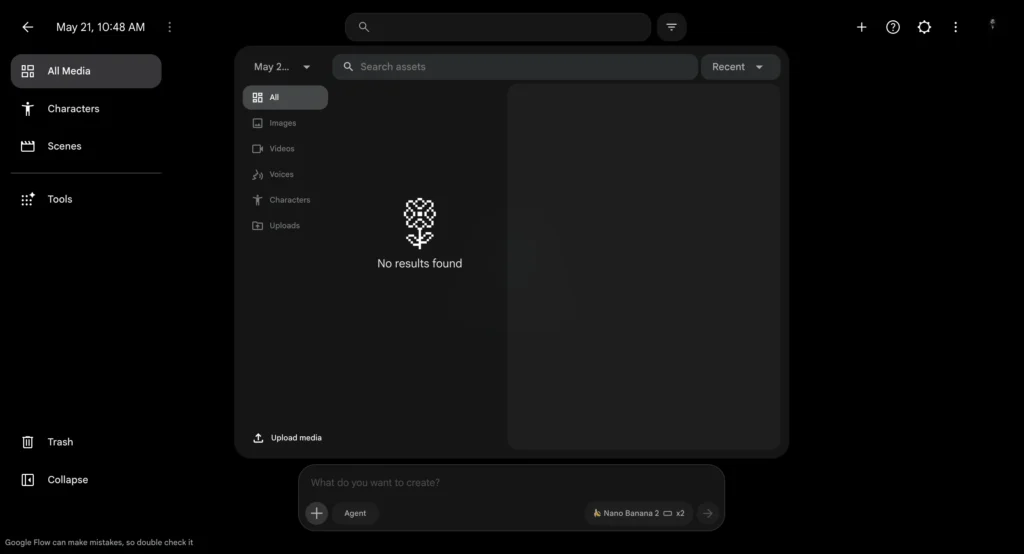
Step-by-Step: Using Google Omni in Google Flow
Here’s exactly how to start creating with Omni Flash in Google Flow.
Step 1: Access Google Flow
Navigate to the Google Flow homepage. Click “Create with Google Flow” to reach the workspace.
Step 2: Start a New Project
Click to create a new project. You’ll notice Google has completely overhauled Flow—it’s now a legitimately capable AI filmmaking studio.
Step 3: Select the Omni Model
Click on the video tab. From the dropdown menu, select the Omni model. You’ll see:
- Maximum video length: 10 seconds currently
- Cost: Approximately 30 credits per generation
- Model type: Omni Flash
Step 4: Choose Your Creation Method
You have two main options:
Option A: Generate from Scratch Enter a text prompt describing the video you want to create. Be specific about:
- What’s happening in the scene
- Camera angles and movement
- Style and mood
- Lighting conditions
- Any text overlays or effects
Option B: Upload and Edit Existing Video Upload a video (must be 10 seconds or shorter currently) and describe the edits you want made.
Step 5: Generate and Review
Click generate and wait for processing. Omni Flash is fast, usually completing in under a minute for simple prompts.
Step 6: Iterate and Refine
If the output isn’t perfect, don’t start over. Ask for specific changes:
- “Change the background to a sunset”
- “Add text that says ‘Welcome’ in the center”
- “Make the movement slower”
- “Swap the dog for a cat”
Omni preserves what works and only changes what you specify.
How to Get Great Results from Google Omni
The quality of your output depends heavily on how you prompt. Here’s the complete framework Google recommends:
1. Shot Framing and Camera Motion
Be specific about how you want the camera to behave:
Framing options: Wide-angle, medium shot, close-up, extreme close-up, bird’s eye view
Camera movement:
- Static/locked off/fixed (no movement)
- Push in/punch in (moving toward subject)
- Pull back (moving away)
- Dolly zoom (that Vertigo effect)
- Pan left/right
- Tilt up/down
- Oner/continuous shot (no cuts)
Example: “Close-up shot of a coffee cup, camera slowly pushes in, locked off angle, shallow depth of field”
2. Style and Mood
Tell Omni how the scene should feel:
Style options: Realistic, cinematic, majestic, grounded, dreamy, gritty, whimsical, minimalist
Film references: Blade Runner-inspired, BBC nature documentary quality, Apple-style minimalism
Example: “Cinematic 4K quality with subtle lens flare, golden hour lighting, dreamy atmosphere”
3. Lighting Details
Lighting transforms the mood:
Light sources: Sun, streetlamp, off-screen lighting, natural window light, studio lighting
Light quality: Crisp, warm, ethereal, soft, harsh, moody, bright and saturated
Example: “Soft morning light creating warm tones, backlit with golden glow, shallow depth of field”
4. Location and Setting
Where is this happening? You don’t need to describe every detail—Omni fills in the context:
Example: “An alien landscape with clear, azure water” – Omni understands what makes a landscape feel alien and what azure water looks like.
5. Action and Subjects
What’s actually happening? Who are the characters?
Example: “A red fox emerging from morning mist in a meadow, moving slowly and cautiously”
6. Applying World Knowledge
This is where Omni’s intelligence shines. You can reference complex concepts without explaining them:
Scientific concepts: “Show protein folding” – Omni understands the science
Historical events: “1920s jazz club atmosphere” – Omni knows the era
Cultural references: “Traditional Japanese tea ceremony” – Omni understands the ritual
Complex actions: “A figure dissolving into butterflies” – Omni knows how to visualize this metaphor
7. Iterative Editing Approach
Think of Omni like Nano Banana for video. Build and refine through conversation:
First generation: “A dog running in a park”
First edit: “Change the park to a beach”
Second edit: “Add a frisbee in the air”
Third edit: “Make it sunset lighting”
Omni preserves the core video and only changes what you specify each time.
8. Text Rendering
Omni handles text better than most video models:
Specify typography, placement, animation style, and how text syncs with visuals.
Example: “Add bold white text saying ‘Welcome’ that fades in at 2 seconds, centered, with a subtle drop shadow”
9. Directing Your Camera
Use professional videography terms:
Camera types: “Natural smartphone zoom,” “film camera aesthetic,” “webcam style,” “35mm film grain”
Professional terminology: Omni understands industry language, so you can use technical terms if you know them.
12 Best Google Omni Prompts You Can Try Right Now
Here are tested prompts organized by use case. Copy these and adjust them for your needs:
Cinematic & Film
1. Moody Urban Scene “A lone figure walks through a rain-soaked Tokyo street at midnight, neon reflections shimmering on wet pavement, slow motion, 35mm film grain, Blade Runner-inspired color palette”
2. Epic Landscape “Aerial drone shot sweeping over a vast desert canyon at golden hour, long shadows stretching across sandstone formations, cinematic 4K quality with subtle lens flare”
Social Media Content
3. Product Showcase “A sneaker spinning mid-air against a gradient background transitioning from electric blue to hot pink, sharp product photography lighting, seamless 360 rotation”
4. Celebratory Moment “A person throwing confetti in the air, confetti exploding into a slow-motion rainbow burst, bright saturated colors, vertical 9:16 format, party vibes”
Marketing & Advertising
5. Tech Product Reveal “A smartphone rotating on a clean white surface, soft reflections, studio lighting, 360 product showcase with subtle shadow movement, Apple-style minimalism”
6. Luxury Brand “A skincare product bottle on a marble surface with water droplets rolling down, soft morning light, luxurious spa aesthetic, clean and premium feel”
Creative & Artistic
7. Surreal Transformation “An oil painting coming to life on canvas, brushstrokes moving independently, colors swirling and forming a landscape scene that shifts between seasons”
8. Magical Metamorphosis “A human figure dissolving into thousands of butterflies, each butterfly a different color, slow and dreamlike, shot against a plain dark background”
Nature & Documentary
9. Wildlife Moment “A red fox emerging from morning mist in a meadow, backlighting creating a golden glow around its fur, shallow depth of field, BBC nature documentary quality”
10. Epic Timelapse “Time-lapse of clouds rolling over mountain peaks, shadows racing across valleys, day-to-night transition revealing a star-filled sky, 4K landscape”
Education & Explainer
11. Scientific Visualization “An animated cross-section of the Earth showing tectonic plates slowly shifting, magma rising, continents drifting apart, clean educational infographic style”
12. Natural Process “A water cycle animation showing evaporation from an ocean, cloud formation, rainfall over mountains, and rivers flowing back to the sea, looping motion”
Is Google Omni Worth Using?
Here’s my honest assessment.
Omni is worth using if:
- You create lots of short-form social content
- You need fast, affordable video generation
- You want to experiment with AI video without huge investment
- You’re focused on educational or explainer content
- Simple everyday generations meet your needs
Omni isn’t worth the frustration if:
- You need cinematic quality consistently
- You require longer video formats
- You can’t tolerate frequent censorship blocks
- You’re creating content for professional clients expecting perfection
- You need advanced editing precision
The Reality
Omni Flash is an impressive technical achievement that’s held back by implementation choices. The underlying model is fast, capable, and shows genuine intelligence in how it handles prompts. But the aggressive safety filters and 10-second limitation prevent it from reaching its potential.
For quick social media content, educational clips, and everyday creative experiments, Omni delivers real value at a good price point. For anything more ambitious, you’ll need other tools in your arsenal.
My Recommendation
Sign up for Google Flow. Test Omni Flash with 5-10 generations across different use cases using the prompts I provided. See where it saves you time versus where it frustrates you. Then decide if it fits your specific workflow.
Don’t expect it to replace everything. Expect it to handle specific tasks really well while you use specialized tools for everything else.
The future of video AI is multimodal reasoning and natural language control. Omni is an early but meaningful step in that direction. Whether it becomes the dominant tool depends on how quickly Google addresses the censorship issues and extends video length.
Try it. Test it. See if it solves problems you actually have. That’s the only way to know if it’s worth your time.
Note: Google Omni is evolving rapidly. Features, limitations, and capabilities may change with updates. Check Google’s official release notes for the latest information.
Also Read