

Imagine, you have a mountain of research to do, reports to write, data to analyze, and marketing campaigns to plan.
Now imagine an AI assistant that doesn’t just help with one task, it handles entire workflows from start to finish, learns from each interaction, and runs completely on your own computer without sending your data to the cloud.
That’s LemonAI.
Most AI tools today are either expensive, limited by what they can do, or require your data to leave your machine.
LemonAI breaks that pattern completely.
It’s the world’s first fully open-source, self-evolving AI agent that you can run locally, customize endlessly, and use without worrying about monthly subscriptions eating into your budget.
If you’ve been looking for an AI automation tool that actually respects your privacy while delivering serious productivity gains, keep reading.
This guide will show you exactly what LemonAI does, how it works, and whether it’s the right tool for you.
- What Exactly Is LemonAI?
- Why LemonAI Stands Out From Other AI Agents
- The Two Sides of LemonAI
- What Can You Actually Do With LemonAI?
- How to Get Started With LemonAI (Step-by-Step)
- Understanding LemonAI's Self-Evolving Intelligence
- Privacy & Security: What You Need to Know
- Who Should Use LemonAI?
- Is LemonAI Worth Your Time?
What Exactly Is LemonAI?
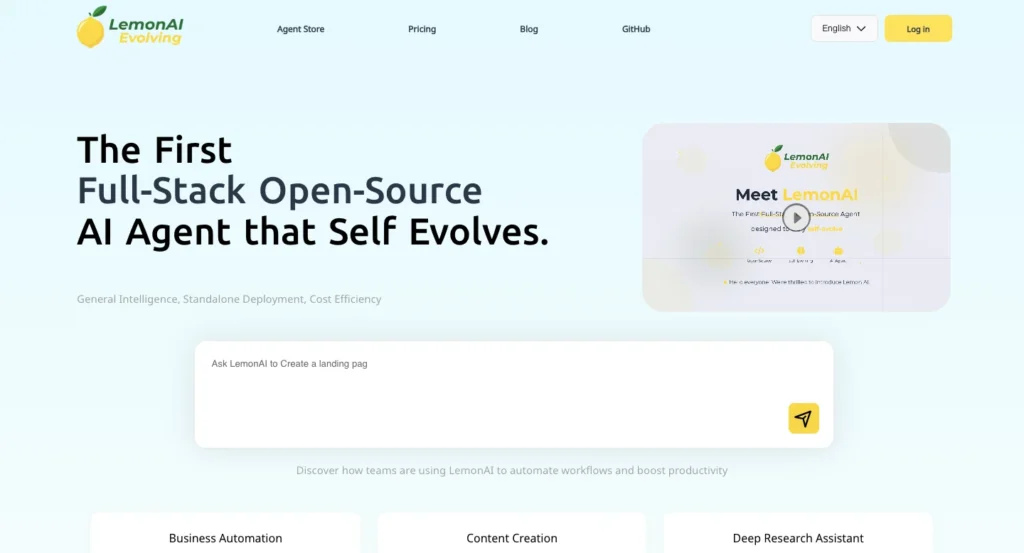
LemonAI is the first full stack open source self evolving general AI agent framework with comprehensive capabilities that can handle almost any task you throw at it.
But what does that actually mean in plain English?
Think of LemonAI as your personal AI employee that:
- Takes complex projects and breaks them into manageable steps
- Uses multiple AI models to complete tasks (both free local ones and premium cloud options)
- Learns from every interaction to get better at helping you
- Runs entirely on your computer if you want complete privacy
- Costs nothing to use (though you can add paid AI models for better results)
Unlike chatbots that just answer questions, LemonAI actually does things.
It can browse the web, write and execute code, create documents, analyze data, and string together multiple tools to complete sophisticated workflows.
Why LemonAI Stands Out From Other AI Agents
The AI agent space is getting crowded. Tools like Manus and Genspark have gained attention, but they come with hefty price tags and cloud dependencies.
Here’s what makes LemonAI different:
| Feature | LemonAI (Free) | LemonAI (Pro) | LemonAI (Business) | Typical AI Agents |
|---|---|---|---|---|
| Cost | $0/month | $19/month | $99/month | $150–300/month |
| Privacy Options | Public agents | Private agents | Private + team sharing | Private only |
| Local Deployment | Yes (open-source) | Yes (open-source) | Yes (open-source) | No (cloud only) |
| Customization | Full (self-hosted) | Full (self-hosted) | Full (self-hosted) | Limited/None |
| AI Models | Limited (Free), Unlimited (Self-hosted) | Unlimited access | Unlimited access | Usually locked to one |
| Learning Capability | Basic | Advanced (editable experience) | Advanced + team learning | Static or basic |
| Setup Complexity | Easy (web) or Technical (self-hosted) | Easy (web) or Technical (self-hosted) | Easy (web) or Technical (self-hosted) | Usually just sign up |
| Open Source | Yes | Yes | Yes | No |
Key advantages:
- Flexible Pricing: Start free, pay $19/month for pro features, or self-host for $0 forever
- Privacy Control: Choose between cloud convenience or complete local privacy
- True Customization: Access source code and modify anything with self-hosted version
- Model Freedom: Switch between 10+ AI models based on task requirements
- Learning System: Agents improve based on feedback and outcomes (Pro and Business plans)
The Two Sides of LemonAI
LemonAI exists in two forms, which can be confusing at first:
1. LemonAI Web Platform (lemonai.ai)
This is the no-code version. You sign up, describe what you want done, and the AI handles it. Perfect if you want results fast without technical setup. It offers:
- Free plan with 1,000 credits for new users
- Simple browser-based interface
- Pre-built agent templates
- Automatic improvements based on usage patterns
2. LemonAI Open-Source Framework (lemonai.cc / GitHub)
This is for people who want complete control. It runs entirely on your local hardware with complete privacy and zero cloud dependency.
You need Docker installed, but once set up, you have:
- Full access to source code
- Local execution with no data leaving your machine
- Integration with local AI models (DeepSeek, Llama, Qwen, etc.)
- Sandboxed environment that protects your computer
- Option to add cloud AI models when needed
Most people start with the web platform to test it, then move to the open-source version once they understand how powerful it is.
What Can You Actually Do With LemonAI?
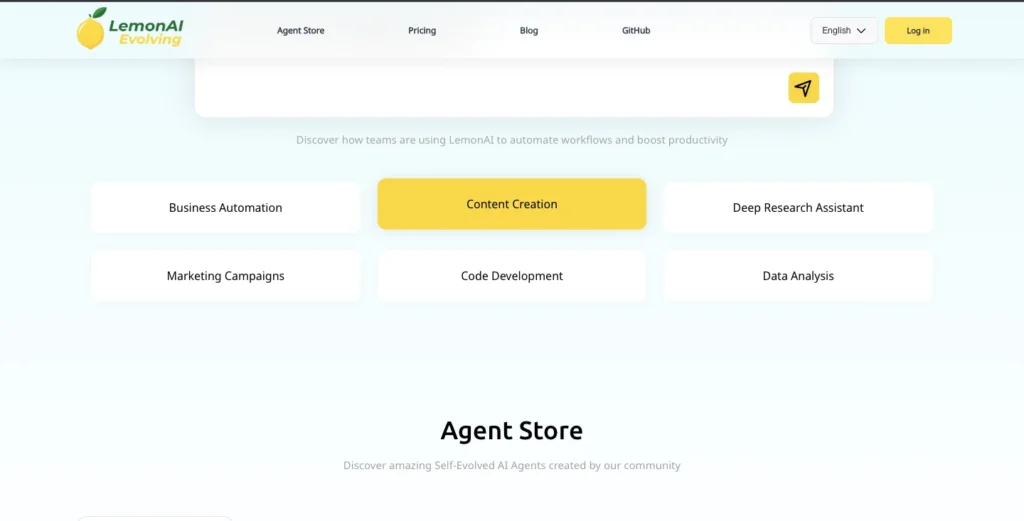
Let’s get specific. Here are real-world tasks LemonAI handles:
Business Automation
| Task | How LemonAI Handles It |
|---|---|
| Lead Qualification | Analyzes incoming leads, scores them based on criteria you define, routes hot leads to sales team |
| Customer Support Routing | Reads support tickets, categorizes by urgency/topic, drafts responses or escalates to humans |
| Data Entry | Extracts information from documents, emails, or forms and enters it into your systems |
| Report Generation | Pulls data from multiple sources, analyzes trends, creates formatted reports with visualizations |
Content Creation & Marketing
LemonAI doesn’t just generate generic content, it maintains memory of your brand voice, style guidelines, and past content to create consistent, on-brand materials:
- Blog posts and articles that match your writing style
- Social media content across multiple platforms
- Email campaigns personalized for different segments
- Landing page copy optimized for conversion
- Campaign workflows that connect to CRMs and analytics tools via MCP (Model Context Protocol)
Research & Analysis
This is where LemonAI really shines. It can crawl sources, summarize findings, and produce comprehensive reports with local execution for privacy-sensitive work:
- Market research with competitor analysis
- Academic research synthesis across multiple papers
- Stock and financial analysis (as mentioned in references)
- Travel planning with complete itineraries and maps
- Technical documentation review and summarization
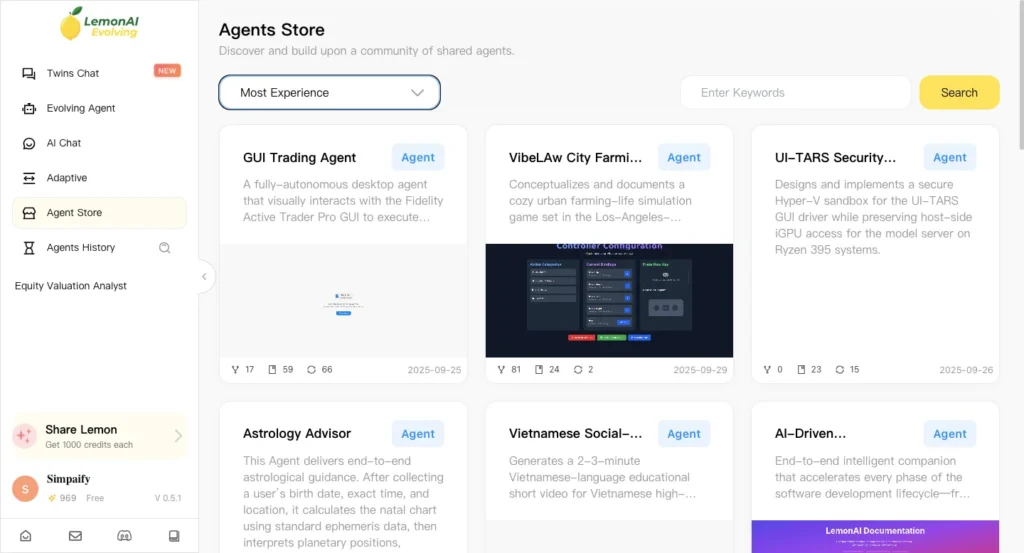
Code Development
LemonAI includes a sandboxed code interpreter to generate, review, and safely execute code. This means it can:
- Write scripts to automate repetitive tasks
- Debug existing code and suggest improvements
- Build entire web applications from descriptions
- Create data processing pipelines
- Generate and execute SQL queries for database work
The sandbox ensures it can’t accidentally harm your system all code runs in an isolated environment.
Data Analysis & Visualization
Whether you’re dealing with spreadsheets, databases, or raw data files:
- Ingests data from multiple formats (CSV, Excel, JSON, databases)
- Cleans and transforms messy data
- Performs statistical analysis
- Creates interactive charts and visualizations
- Generates insights and recommendations based on patterns
How to Get Started With LemonAI (Step-by-Step)
Option 1: Quick Start With Web Platform
Step 1: Sign Up Visit lemonai.ai and create a free account. You’ll get 1,000 credits as a new user to start experimenting.
Step 2: Choose Your Plan
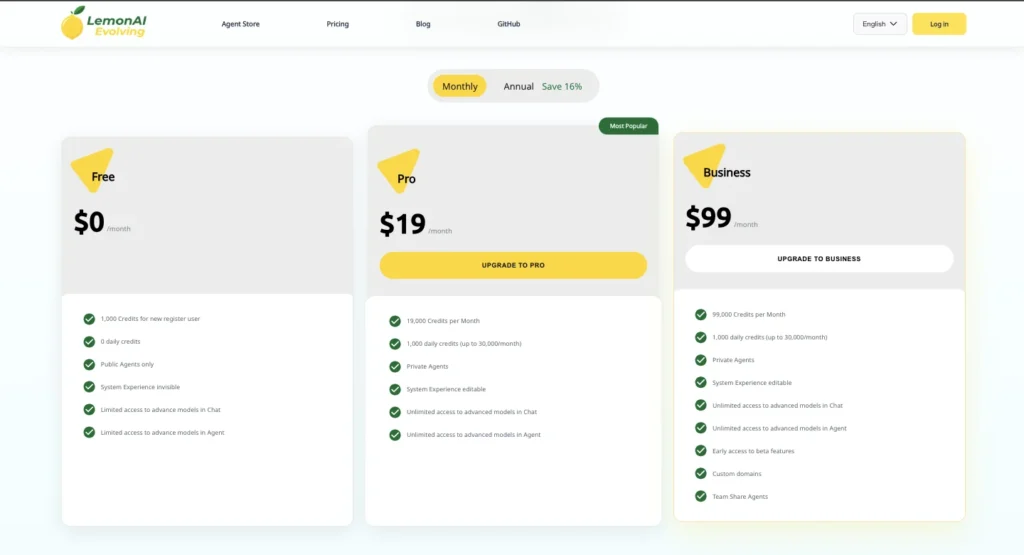
LemonAI offers three pricing tiers to fit different needs:
| Plan | Cost | Credits | Best For |
|---|---|---|---|
| Free | $0/month | 1,000 credits (one-time for new users) + 0 daily credits | Testing and light personal use |
| Pro | $19/month | 19,000 monthly credits + 1,000 daily credits (up to 30,000/month) | Freelancers and regular users |
| Business | $99/month | 99,000 monthly credits + 1,000 daily credits (up to 30,000/month) | Teams and heavy users |
What you get at each level:
Free Plan includes:
- Public agents only (your work is visible to community)
- System experience invisible (no learning memory)
- Limited access to advanced models in Chat and Agent modes
Pro Plan adds:
- Private agents (your work stays private)
- System experience editable (agent learns and improves)
- Unlimited access to advanced models in both Chat and Agent modes
Business Plan includes everything in Pro plus:
- Early access to beta features
- Custom domains for your agents
- Team sharing capabilities
Pro Tip: Start with the Free plan to test if LemonAI fits your workflow, then upgrade to Pro once you’re using it regularly. The $19/month Pro plan offers the best value for most individual users.
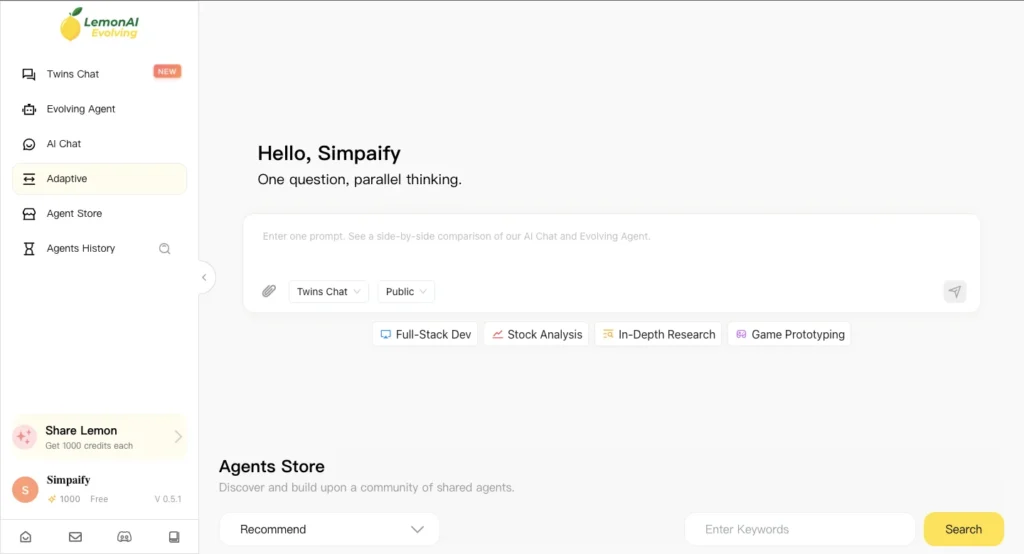
Step 3: Explore the Dashboard The interface is intentionally simple—no complicated menus or settings to configure upfront.
Step 4: Give It a Task Describe what you want in plain English. Be specific about the outcome you need.
Example prompts:
- “Create a competitive analysis of the top 5 project management tools, including pricing, features, and target customers. Format as a comparison table.”
- “Research AI marketing trends for 2025 and write a 1,500-word blog post in a conversational tone.”
- “Analyze this sales data CSV and create visualizations showing monthly trends, top products, and regional performance.”
Step 4: Review and Refine LemonAI will break your request into steps, execute them, and show you the results. If something isn’t quite right, use the LemonAI Editor to make adjustments without regenerating everything from scratch.
Option 2: Local Installation (For Privacy & Customization)
Requirements:
- Docker Desktop installed (free download)
- Windows users need WSL (Windows Subsystem for Linux) enabled
- Basic command line familiarity helpful but not required
Installation Process:
- Install Docker Desktop from docker.com
- Open your terminal (or WSL terminal on Windows)
- Run this single command:
docker run -it --rm --pull=always \
  --name lemon-app \
  --env DOCKER_HOST_ADDR=host.docker.internal \
  --publish 5005:5005 \
  --add-host host.docker.internal:host-gateway \
  --volume /var/run/docker.sock:/var/run/docker.sock \
  --volume ~/.cache:/.cache \
  --interactive \
  --tty \
hexdolemonai/lemon:latest make run- Open your browser to
localhost:5005 - Configure your preferred AI models (local or cloud)
- Start building
Configuring AI Models:
LemonAI supports multiple model backends. Here’s what you can use:
| Model Type | Examples | Best For | Cost |
|---|---|---|---|
| Local Open-Source | DeepSeek V3, Llama 3, Qwen, Gemma | Privacy, no ongoing costs | Free (uses your GPU/CPU) |
| Cloud APIs | GPT-4, Claude, Gemini, Grok | Higher quality outputs, faster responses | Pay per use |
| Hybrid | Local for planning, Cloud for execution | Balance of privacy and performance | Low cost |
You mix and match based on your needs. Use free local models for routine tasks, bring in cloud models when you need top-tier quality.
Understanding LemonAI’s Self-Evolving Intelligence
Most AI tools are static, they work the same way today as they did when you first installed them. LemonAI is different because it actually learns from experience.
How the learning works:
LemonAI stores key data such as Long Memory, Experience, Knowledge, and Personal Preference in an additional Agents layer that enables continuous evolution of the same AI agent.
In practical terms:
- Long Memory: Remembers context from previous conversations and tasks
- Experience Repository: Stores what worked and what didn’t for similar tasks
- Knowledge Base: Accumulates domain-specific information over time
- Personal Preferences: Learns your style, tone, and preferences for different types of work
Example: The first time you ask LemonAI to write a marketing email, it might be generic. After you provide feedback on 5-10 emails, it learns your brand voice, preferred structure, and what converts for your audience. Future emails automatically match that learned style.
Privacy & Security: What You Need to Know
When AI handles your business data, privacy isn’t optional, it’s essential. Here’s LemonAI’s approach:
LemonAI operates within a local Virtual Machine (VM) sandbox by Docker that protects your machine’s files and operating system by safely handling all code execution.
Three Levels of Privacy:
- Fully Local: Run everything on your machine with local models, zero data leaves your computer
- Hybrid: Use local models for sensitive tasks, cloud APIs for non-sensitive content creation
- Cloud-First: Use the web platform with enterprise-grade encryption and security
Important considerations:
- Self-hosted version gives you complete control
- Sandboxed environment prevents AI from accessing files it shouldn’t
- Code execution happens in isolated containers
- You choose which data stays local vs. goes to cloud models
For enterprise use: Contact feedback@lemonai.ai for commercial licensing and security audits.
Who Should Use LemonAI?
Perfect for:
| User Type | Why LemonAI Fits | Recommended Plan |
|---|---|---|
| Budget-Conscious Freelancers | Get pro AI automation for $19/month vs $150+ elsewhere | Pro Plan ($19/month) |
| Privacy-Focused Professionals | Handle sensitive data locally without cloud exposure | Self-Hosted (Free) |
| Small Business Owners | Automate marketing, support, and operations affordably | Pro or Business based on team size |
| Developers & Tech Enthusiasts | Customize agent behavior and contribute to open-source | Self-Hosted (Free) |
| Marketing Teams | Create content at scale with brand consistency and memory | Pro ($19) or Business ($99) |
| Researchers & Analysts | Process sensitive data locally with complete privacy control | Self-Hosted (Free) |
| Students & Learners | Learn about AI agents without financial commitment | Free Plan (1,000 credits) |
| Startups | Enterprise-grade AI automation without enterprise pricing | Business Plan ($99/month) |
Maybe not ideal for:
- Complete tech beginners who need zero-setup solutions (though Free web plan is simple)
- Enterprises requiring 24/7 dedicated support (commercial licensing available for this)
- Users who need everything handled and don’t care about cost or privacy
- Teams needing immediate collaboration features without Business plan budget
Is LemonAI Worth Your Time?
Here’s the straightforward answer, if you’re doing any kind of repetitive knowledge work, research, content creation, or data analysis, LemonAI can probably save you 5-15 hours per week once you’ve learned to use it effectively.
The learning curve exists, plan for 2-4 hours to get comfortable with how it works. But that investment pays back within the first week of real use.
Official Guide to Start Using LemonAi: Click Here
The strongest points:
- Free plan available with 1,000 credits to test thoroughly
- Pro plan at just $19/month beats competitors by 85-95%
- Self-hosted option offers $0 monthly cost forever
- Runs locally for complete privacy control when needed
- Self-improving intelligence that gets better with use (Pro and Business plans)
- Active community and rapid development
- Both no-code web platform AND full open-source flexibility
The honest drawbacks:
- Free plan limited to public agents (privacy requires Pro)
- Initial self-hosted setup requires some technical comfort
- Local models aren’t quite as capable as top-tier cloud models (but web platform gives unlimited access to advanced models on Pro)
- Documentation is good but still evolving
- Team features only available on Business plan ($99/month)
For most people reading this, especially those who value privacy, customization, or cost savings, LemonAI is absolutely worth trying.
The web platform gives you an easy entry point, and you can always move to self-hosted later if you want more control.
Start small. Pick one repetitive task that eats up your time. Let LemonAI handle it for a week. Measure the time saved. Then expand from there.
The AI revolution is happening whether we participate or watch from the sidelines. Tools like LemonAI make participation accessible to everyone, not just those with corporate budgets.
What task will you automate first?
Similar Articles, you should read: