
Listen, browsing the web is about to change forever.
We’re not talking about minor tweaks or fancy features added to Chrome.
We’re talking about a complete shift in how you interact with the internet itself.
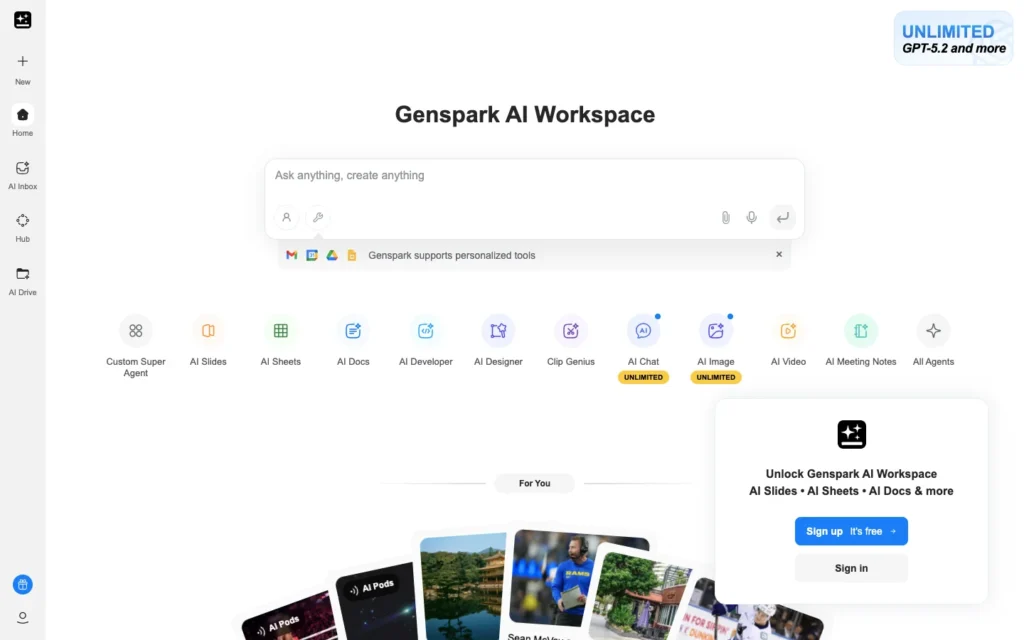
This year has brought us agentic AI browsers, and Genspark AI Browser sits right at the center of this revolution.
Instead of you clicking, scrolling, and searching endlessly, your browser now does the work for you. It thinks, acts, and completes tasks autonomously while you focus on what actually matters.
Here’s what makes this different from every browser you’ve ever used.
Genspark doesn’t just display websites. It understands them, interacts with them, and gets things done on them without you lifting a finger.
Let’s understand how you can use this in 2026.
- What Exactly Is an Agentic AI Browser?
- Understanding Genspark AI Browser
- 6 Key Features That Make Genspark Unique
- How to Download and Get Started with Genspark AI Browser
- Real-World Use Cases: What You Can Actually Do
- Is Genspark AI Browser Safe?
- Genspark AI Browser Pricing
- Who Should Use Genspark AI Browser?
- Your Next Steps
What Exactly Is an Agentic AI Browser?
Before we jump into Genspark specifically, let me explain what makes agentic browsers fundamentally different from traditional ones.
Traditional browsers like Chrome, Firefox, and Safari are passive tools.
You type a URL, they display a page.
You click a link, they take you there.
Every single action requires your input.
Agentic AI browsers flip this model completely.
They use autonomous AI agents that can plan multi-step tasks, navigate websites independently, and execute complex workflows based on simple instructions you provide.
Think of it this way.
Instead of telling your browser “go to Amazon,” then manually searching for products, comparing prices, reading reviews, and checking shipping options yourself, you tell an agentic browser “find me the best noise-canceling headphones under $200 with good reviews” and it handles everything autonomously.
The browser becomes your intelligent assistant that actively works for you rather than passively waiting for commands.
Understanding Genspark AI Browser
Genspark launched its dedicated AI browser on May 15, 2025, featuring built-in Super Agent capabilities, ad blocking, and support for over 700 tools.
The company, founded in 2023, went viral as an AI workspace before revolutionizing the concept further with their browser release.
What sets Genspark apart is its complete integration of artificial intelligence into every aspect of browsing. This isn’t AI tacked on as an afterthought. The entire browser is built from scratch with AI-first architecture.
The Core Philosophy
Genspark operates on a simple premise, your time is valuable, and repetitive web tasks waste it. The browser aims to eliminate the friction between what you want to accomplish and actually getting it done.
Rather than bouncing between tabs, copying information, comparing data manually, and clicking through endless pages, you describe your goal and let the AI handle the execution.
The system breaks down complex objectives into actionable steps, navigates the necessary websites, gathers relevant information, and presents you with organized results.
6 Key Features That Make Genspark Unique
Let’s break down the specific capabilities that differentiate this free agentic AI browser from everything else available.
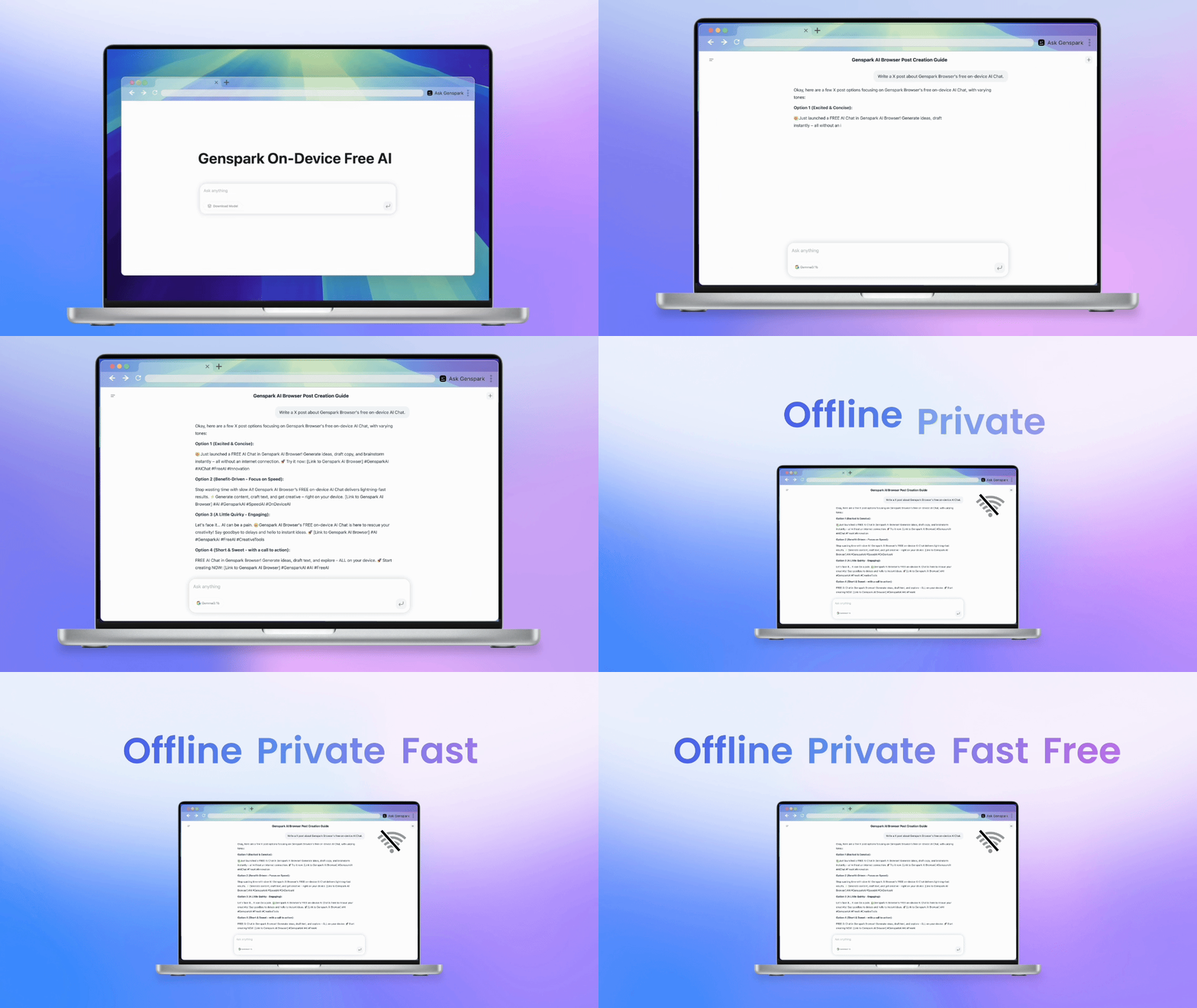
1. On-Device AI Models (169 Options)
Genspark lets you choose from 169 open-weight models including families like GPT, DeepSeek, and Gemma that run entirely on your device.
What this means for you?
No sending your data to remote servers. No monthly API costs. No latency issues waiting for cloud responses.
The AI processes everything locally on your computer, ensuring both privacy and instant performance.
Different models excel at different tasks. Some are optimized for coding, others for creative writing, some for mathematical reasoning. You pick the right tool for your specific needs at any moment.
| Model Type | Best For | Example Use Case |
|---|---|---|
| GPT Family | General purpose tasks | Email writing, research summaries |
| DeepSeek | Technical analysis | Code generation, debugging |
| Gemma | Quick responses | Simple queries, factual lookups |
| Specialized Models | Domain-specific work | Legal analysis, medical research |
2. Offline Functionality
Most AI tools become useless the moment your internet connection drops. Genspark breaks this pattern completely.
Because models run on-device, you can work anywhere, anytime. On a plane. In a remote location. During internet outages. The core AI functionality continues operating without interruption.
You still need internet for actual web browsing, obviously. But the AI assistant that helps you navigate, summarize, and analyze content works regardless of connectivity status.
3. Super Agents on Every Webpage
This feature alone justifies switching browsers. Super Agents are AI assistants integrated into every webpage, helping find best deals on e-commerce sites and summarizing videos on YouTube with transcript extraction.
Imagine you’re shopping on Amazon. The moment you land on a product page, your Super Agent automatically analyzes thousands of reviews, identifies common complaints and praises, compares prices across the web, checks price history, and presents a clear recommendation.
On YouTube, instead of watching a 45-minute video, your Super Agent generates a comprehensive summary, extracts the full transcript for searching specific topics, and can even create professional slide decks from the content.
Every single website becomes smarter and more helpful because the AI understands context and provides relevant assistance without you asking.
4. Autopilot Mode
This is where agentic browsing truly shines. Autopilot Mode allows your browser to autonomously navigate websites, gather information, and complete tasks without constant supervision.
Practical applications:
- Social media monitoring: Your browser checks Twitter, LinkedIn, and Reddit for specific topics, compiles relevant posts, and alerts you to important discussions
- News aggregation: Browses multiple news sites, filters articles by your interests, removes duplicates, and creates a personalized digest
- Research automation: Visits academic databases, downloads relevant papers, extracts key findings, and generates comparative analysis
- Price tracking: Monitors products across e-commerce sites, notifies you when prices drop, and can automatically add items to cart when your target price is reached
You set the parameters and goals. The AI handles the tedious browsing work while you focus on decision-making and creative tasks.
5. Built-in Ad Blocking
The browser includes comprehensive ad-blocking technology that delivers clean, distraction-free browsing with built-in privacy features and encrypted connections.
No extensions required. No configuration needed. Ads are eliminated by default the moment you install Genspark. This includes banner ads, pop-ups, video pre-rolls, and sponsored content that clutters most websites.
The performance impact is significant. Pages load faster without downloading and rendering advertisement assets. Your data usage drops. Your browsing experience becomes cleaner and more focused.
6. MCP Store Integration
The MCP Store connects Genspark with over 700 tools including Discord, GitHub, Notion, and Slack, creating seamless workflow automation across platforms.
What this enables?
Your browser becomes the command center for your entire digital workflow. You can trigger actions in external apps, pull data from multiple sources, and coordinate complex multi-platform tasks through simple natural language commands.
Example workflow: “Draft a project update based on our GitHub commits this week, summarize discussions from the Slack #engineering channel, create a formatted document in Notion, and share it in Discord.”
The browser handles all the authentication, data pulling, formatting, and cross-platform coordination automatically.
How to Download and Get Started with Genspark AI Browser
Getting up and running takes literally minutes. Here’s your step-by-step guide.
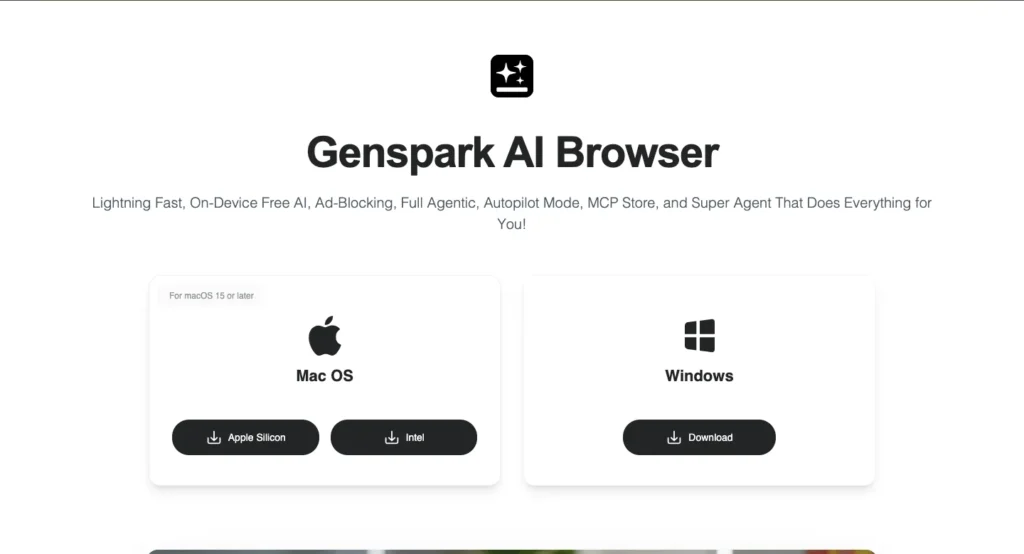
Step 1: Download the Application
Visit the official Genspark website and locate the download section. The browser is available for both Windows and Mac systems, with no waitlist or registration required upfront.
The file size is reasonable, and installation completes in seconds.
You’re not waiting hours for a massive download like some software requires.
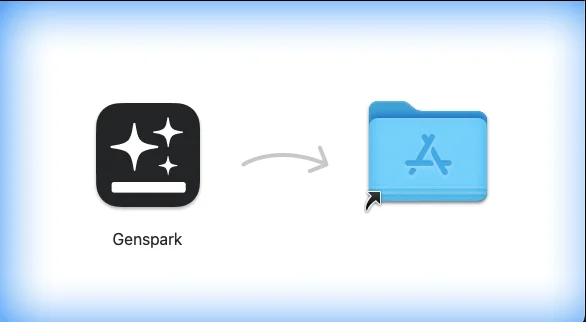
Step 2: Install and Initial Setup
Launch the installer. The process is straightforward with minimal configuration required. You’ll go through standard installation steps accepting terms and choosing installation location.
One key decision during setup:
Whether to import data from your current browser. Genspark offers migration options for bookmarks, passwords, browsing history, and saved forms from Chrome, Firefox, Safari, and Edge.
If you’re testing Genspark alongside your current browser, you can skip migration initially. If you’re planning to switch completely, importing everything makes the transition seamless.
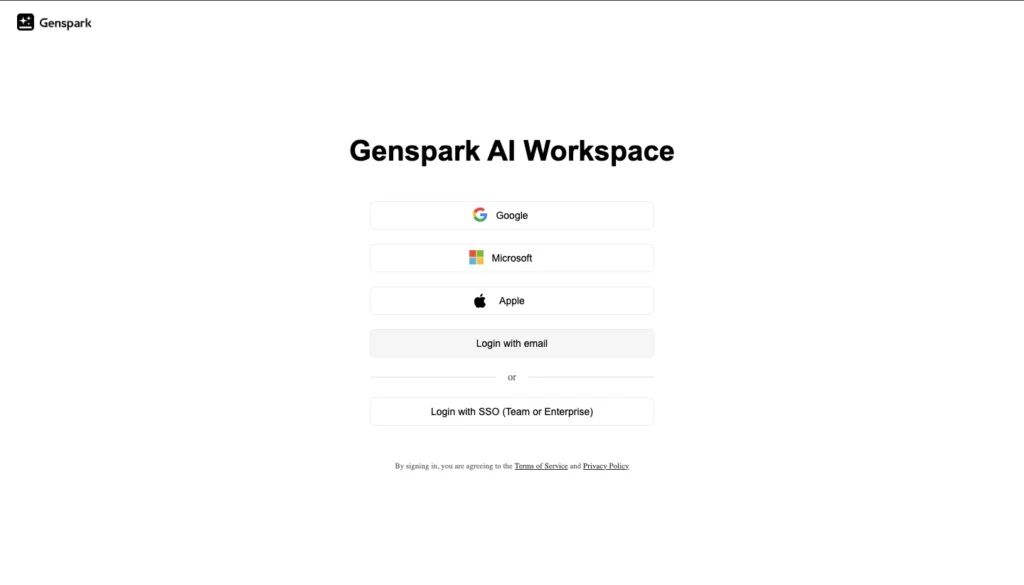
Step 3: Create Your Account
While you can browse without an account, signing in unlocks the full potential of Genspark’s AI features. Account creation is free and takes under a minute.
Important note: Like most business-focused tools, Genspark requires a business email address for registration. Personal Gmail, Yahoo, or Outlook accounts won’t work.
If you’re a freelancer or solopreneur without a custom domain email, you’ll need to set one up first through services like Google Workspace or Zoho Mail.
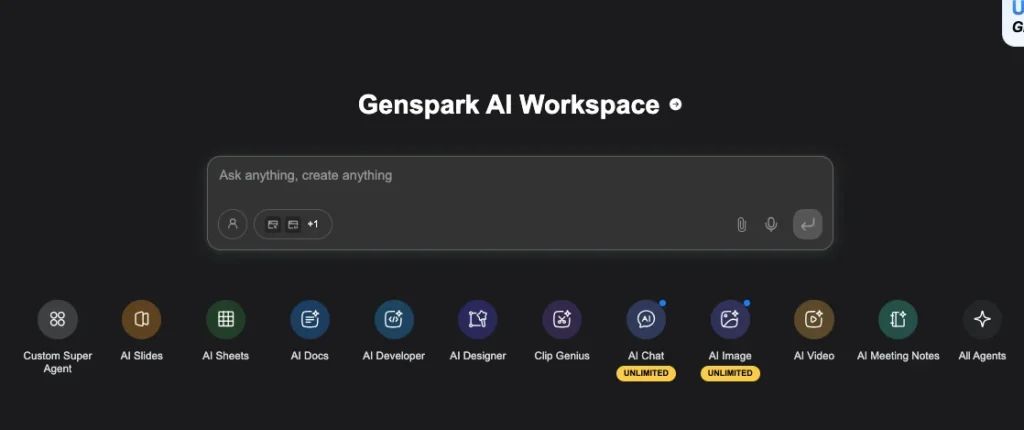
Step 4: Choose Your AI Models
This is where things get interesting. During first launch, you’ll select which AI models to download for on-device use. Different models have different sizes and capabilities.
For most users, starting with 2-3 general-purpose models makes sense. You can always add specialized models later as you discover specific needs.
The interface clearly shows model sizes, capabilities, and resource requirements. If you have a powerful computer with lots of storage, download more options.
If you’re on a laptop with limited space, stick to compact models that still deliver excellent performance.
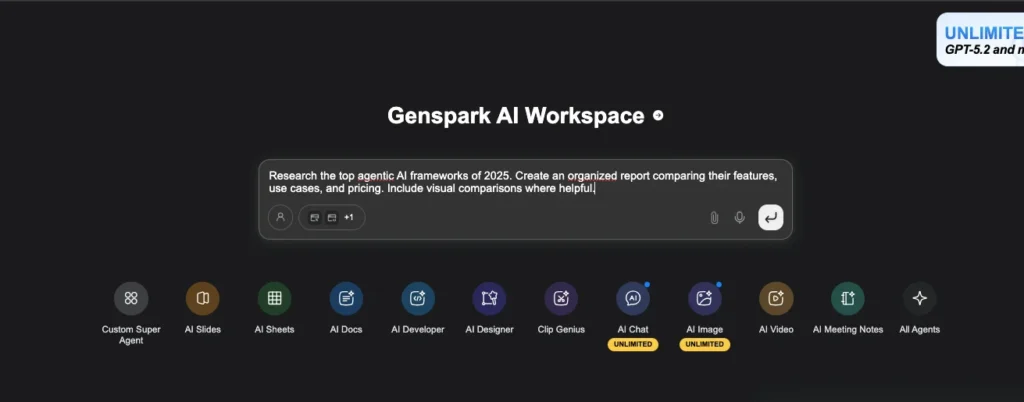
Step 5: Test the Capabilities
Don’t just start browsing normally. Take advantage of Genspark’s tutorial mode that demonstrates key features.
Try this test prompt to see the AI in action:
“Research the top agentic AI frameworks of 2025. Create an organized report comparing their features, use cases, and pricing. Include visual comparisons where helpful.”
Watch as the browser autonomously searches multiple sources, compiles information, identifies patterns, generates comparison tables, and presents a polished report you could share immediately.
This single test demonstrates the power difference between traditional browsing and agentic AI browsing.
Real-World Use Cases: What You Can Actually Do
Theory is fine, but this is where Genspark AI Browser earns its place by saving real time and driving sharper decisions:
- Smart Shopping where the Super Agent scans hundreds of reviews to surface top pros, cons, price trends, better deals, and a clear buy or skip call.
- Video Learning that converts long YouTube talks into crisp slide summaries, transcripts, and timestamped highlights you can actually study.
- Research Acceleration where Autopilot visits multiple sources, compares viewpoints, flags contradictions, cites evidence, and delivers a structured report in hours instead of days.
- Workflow Automation that checks email, scans calendars, pulls Slack action items, updates Notion, and hands you a clean daily priority list before your day even starts, etc.
Is Genspark AI Browser Safe?
Security matters, and here’s the clear, no-spin reality in one view:
- On-Device Processing keeps queries and AI interactions local instead of routing everything through cloud servers, making it inherently more private than typical AI assistants.
- Legitimate Concerns exist because it’s a fast-evolving product with early-stage vulnerabilities and occasional instability, which the company openly acknowledges and patches frequently.
- Practical Guidance is to keep the browser updated, avoid financial or highly sensitive data at the start, test it on non-critical workflows, use strong unique passwords, and enable two-factor authentication when available.
Genspark AI Browser Pricing
Genspark AI Browser is available completely free with no cost for enhanced web browsing and AI-powered automation.
Zero subscription fees. No tiered pricing with feature limitations. No credits to purchase. The full browser with all AI capabilities downloads and operates at no charge.
This free model makes Genspark accessible to everyone, from students and freelancers to small businesses and enterprise users testing new technology.
The company hasn’t announced plans for paid tiers, though premium features may emerge eventually. For now, you get complete access to everything without opening your wallet.
Who Should Use Genspark AI Browser?
This isn’t for everyone, but for the right people it’s a serious upgrade:
- Researchers and Students who need to pull insights from multiple sources and synthesize faster.
- Online Shoppers tired of endless comparisons who want clear, data-backed buy decisions.
- Content Creators who need rapid video summaries, research, and competitive insights without losing creative momentum.
- Remote Workers juggling emails, calendars, Slack, Notion, and project updates who want one agent to orchestrate it all.
- Privacy-Conscious Users who prefer on-device AI processing instead of sending every query and behavior to cloud servers.
Your Next Steps
If you’ve read this far, you’re clearly interested in exploring what agentic AI browsing offers. Here’s what to do now.
Today: Download Genspark AI Browser from the official website. Install it and complete basic setup. Don’t worry about perfect configuration; you can adjust everything later.
This Week: Use Genspark for one specific task daily. Maybe it’s researching a purchase decision, summarizing news articles, or automating a repetitive workflow. Get comfortable with the interface and core features.
This Month: Gradually shift more of your browsing to Genspark. Identify which tasks benefit most from AI automation and which still work better in traditional browsers. Develop your personal workflow that leverages the strengths of agentic browsing.
The internet isn’t going back to passive browsing. AI agents that understand context, execute tasks autonomously, and coordinate complex workflows are the future. Getting comfortable with tools like Genspark now positions you ahead of the curve rather than scrambling to catch up later.
Questions about Genspark AI Browser or agentic browsing in general? Drop them in the comments and I’ll help you understand how this technology can solve your specific challenges.
Also Read: